Your Sales Sequence Software Is Leaking Leads: Fix It
 By
By TL;DR
Most sales sequence software leaks leads through broken exit conditions, missing fallback steps, and no deliverability feedback loop. Audit yours step by step and use Reply.io to close the gaps.
On this page
The dashboard says your sequence is running. Open rates look fine. Pipeline is not moving and reps are not getting replies. I’ve seen this exact scenario before, and every time the culprit is the same: the sequence is technically active but structurally broken in ways the native analytics will never surface.
Bad exit conditions drop leads after step two. Auto-replies get logged as real replies and exit prospects who never saw a human message. HubSpot Sequences enrolls contacts who already bounced last quarter. The leak is quiet, slow, and compounding. This post is a field audit you can run in an afternoon, with Reply.io as the operational hub to close the gaps.
Why Sequences Leak Without Telling You
Most RevOps teams I talk to measure sequence performance at the sequence level: overall open rate, reply rate, total meetings booked. That is roughly as useful as measuring a leaky pipe by whether water is still coming out of the tap. The leak is in the joints, not the tap.
Sales sequence software from every vendor in this space, whether you are using Smartlead, Instantly, HubSpot Sequences, or Reply.io, shares three structural failure modes that aggregate metrics hide.
Exit condition fires too early. A prospect opens an email, which triggers an “interested” tag in your CRM, which your Zap reads and removes them from the sequence before step three. They never heard your actual value prop. You lost them to your own automation.
Reply detection is too broad. Out-of-office messages, “unsubscribe me” confirmations, and calendar acknowledgments all get classified as replies. The sequence exits the contact. The rep sees a reply event in the CRM and assumes follow-up is happening. It is not.
Deliverability kills steps silently. A batch of step-four emails lands in spam. Open rate for that step tanks. But the sequence keeps moving contacts forward, logging “sent,” and nothing flags that those contacts are effectively dark.
G2’s Sales Engagement Software research found that sequence abandonment before step three is the single most common failure pattern reported by users. Teams blame the copy. The real problem is almost always the plumbing.
The Audit: Run This in Four Hours
Here is the exact audit framework I run when pipeline is underperforming but sequences look healthy on the surface.
In Reply.io, go to Reports > Sequence Stats and filter by sequence, then export step-by-step completion rates for the last 90 days. In HubSpot, this requires a custom report using Sequence Enrollment and Sequence Step Completion datasets joined on contact ID. What you are looking for: any step where completion drops more than 30% relative to the prior step. That cliff is your leak.
Open each sequence and list every trigger that can remove a contact: replied, clicked, meeting booked, tag applied, property changed. Then trace where each trigger fires from. In my experience, 40% of exit conditions in HubSpot-connected sequences are firing on CRM property changes that were never meant to be exit signals. A deal stage update should not kick someone out of a nurture sequence, but it often does.
Export your last 30 days of reply events from whichever tool you use. Paste them into a spreadsheet and manually classify a sample of 50 as: real reply, OOO, auto-confirm, or bounce notification. If more than 15% are not real replies, your exit logic is pulling contacts you should still be working. Reply.io's AI categorization handles this natively. HubSpot and Instantly do not.
Pull open rates by step, not by sequence. A sudden drop at step four or five almost always means a deliverability issue kicked in at that send volume or cadence timing. Cross-reference against your sending domain's health in Google Postmaster Tools or your warmup tool. If you are on Smartlead, the inbox rotation log will show you which mailboxes took the hit.
Take the contacts who exited before step three with no meeting booked and pull their current CRM stage. If more than 20% are sitting in an early pipeline stage with no recent activity, you have confirmed silent leakage. These are recoverable prospects. Do not re-enroll them in the same sequence. Build a re-engagement branch.
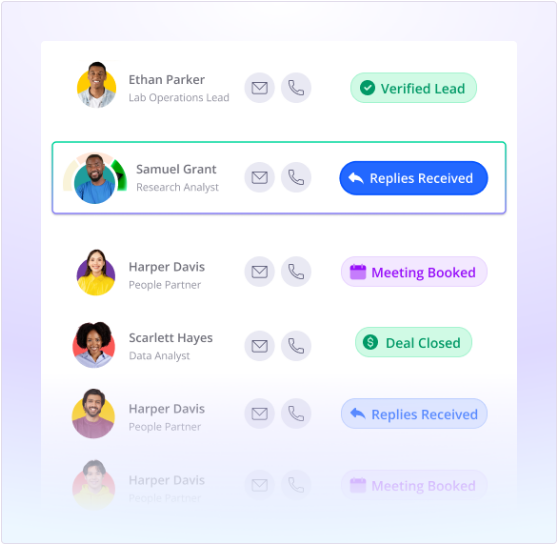
Patching the Leaks with Reply.io and n8n
Once you know where the leak is, the fix depends on which layer is broken. Here is how I structure the fix stack.
The trap: Teams re-enroll leaked contacts into the same sequence with a slightly tweaked subject line and call it a fix. The structural problem is still there. If exit conditions are misfiring, the contact leaks again at the same step. If deliverability is broken at step four, the new sequence inherits the same domain problem.
// n8n: Re-enrollment webhook payload to Reply.io
// Fires only for contacts who:
//   - Exited before step 3
//   - Have no meeting booked
//   - Have not replied (genuine)
//   - Are in pipeline stage = "Prospecting"
{
  "email": "contact@company.com",
  "firstName": "Alex",
  "sequenceId": "re-engage-q3-v2",
  "variables": {
    "lastTouchDays": "47",
    "prevSequence": "cold-outbound-aug"
  }
}
The actual fix stack looks like this: Reply.io handles the sequence logic and reply classification. n8n handles the routing logic that decides who gets re-enrolled, when, and into which branch. HubSpot remains the CRM of record and the source of truth for pipeline stage.
In n8n, I set a scheduled trigger that runs nightly, queries HubSpot for contacts matching the leaked criteria above, checks Reply.io’s API to confirm they are not currently active in any sequence, and then POSTs them into a purpose-built re-engagement sequence in Reply.io. The re-engagement sequence itself looks different from the original: shorter, more direct, acknowledges the prior outreach without being weird about it.
This pattern is covered in more depth in the migration guide from Smartlead to Reply.io if you are also evaluating whether to consolidate tools. The routing architecture transfers directly.

The other fix that matters at the sequence level: Reply.io’s multi-channel steps. If a contact does not open your email by day five, a LinkedIn connection request costs you nothing and resets the touchpoint clock. This is not novel advice, but I have seen teams running Instantly or HubSpot Sequences skip it entirely because those tools make multi-channel awkward. Reply.io makes it a first-class step type. Use it.
If you are worried about HubSpot automations quietly creating problems, the same audit logic applies there too. The exit condition tracing is almost identical.
Which Tool Belongs Where in the Fixed Stack
Not every team needs to rip out their current sequencer. The audit above works regardless of what you are using. But if your audit reveals systemic reply misclassification or a total absence of multi-channel steps, you are hitting the ceiling of what HubSpot Sequences and Instantly can do. Don’t buy a new tool before running the audit. The problem is usually configuration, not product.
Which sequencer fits your fixed stack
Choose Reply.io if

- Your audit reveals reply misclassification as a primary leak and you need AI categorization built in
- You want multi-channel steps (email, LinkedIn, calls) in a single sequence without stitching three tools
- Your CRM is HubSpot and you need bidirectional sync without a custom Zap layer
Choose Smartlead if

- Deliverability and inbox rotation at high volume is the primary leak, not reply classification
- You are sending above 10,000 emails per month and need granular mailbox health controls
- You are comfortable routing multi-channel steps through a separate LinkedIn tool
Choose HubSpot Sequences if

- Your team lives in HubSpot and context-switching cost is the real productivity killer
- Your sequences are short (3-4 steps) and deliverability issues are not a current problem
- You have a RevOps resource who can build the custom reporting layer the native tool lacks
Choose n8n (as the glue layer) if

- You want to keep your current sequencer but add intelligent routing, re-enrollment logic, and cross-tool orchestration
- Your team has a RevOps operator comfortable with API calls and JSON payloads
- You want to avoid per-seat costs on a second sequencing platform
The Audit Is the Investment
Buying a new sequencer without auditing the current one is like patching a roof by adding a second floor. The leak is still there. Just further down the stack.
Run the step-level drop-off analysis first. Classify your reply events. Trace every exit condition. When you do that, you will know whether the fix is a configuration change, an n8n routing layer, or a migration to Reply.io’s multi-channel engine. Most of the time it is configuration. Sometimes it is the tool. Either way, you cannot fix what you have not measured.
Sources
Frequently asked questions
What is sales sequence software?
Sales sequence software automates multi-step outreach across email, LinkedIn, and calls, enrolling prospects in a timed cadence until they reply or opt out. Examples include Reply.io, Smartlead, Instantly, and HubSpot Sequences.
How do I audit my sales sequence for lead leaks?
Pull step-level drop-off data, check exit conditions for accidental early termination, and verify reply detection is not routing auto-replies as real responses. Then cross-reference against CRM stage movement.
Does Reply.io integrate with HubSpot?
Yes. Reply.io has a native HubSpot integration that syncs contact activity, sequence enrollment status, and reply events back to contact records and deal timelines.
Can n8n automate lead routing into Reply.io sequences?
Yes. n8n can listen for webhook events from your CRM or enrichment tool, apply ICP scoring logic, and POST contacts directly into Reply.io sequences via its REST API.
When should I use Smartlead instead of Reply.io?
Use Smartlead when raw deliverability and inbox rotation at scale are the primary concern. Use Reply.io when you need multi-channel sequences, AI reply handling, and tighter CRM sync in one platform.
Free Newsletter
Get new posts by email.
Migration guides, tool comparisons, and pricing breakdowns from real RevOps and GTM stacks, sent as they publish.
No spam. Unsubscribe anytime.
Enjoying this? Share it with your team.
Keep reading
Some links are affiliate links. Disclosure.