Cold Email Deliverability Audit: Fix Flagged Sequences
 By Ian Chamberland 11 min read
 TL;DR
If your cold email sequences are getting flagged, the fix is a layered audit covering domain authentication, inbox warm-up status, list hygiene, and sending behavior, Instantly gives you the dashboard to see all of it in one place.
On this page
You built the sequence. You wrote decent copy. Open rates looked fine for the first two weeks, and then something shifted. Reply rates tanked, bounces crept up, and someone on the team noticed their own test address never got the email. Sound familiar?
Cold email deliverability doesn’t fail loudly. It fails quietly, inbox by inbox, until you’re broadcasting into a void and your domain is silently on every major blocklist. This post is the audit I run when a sequence starts showing those symptoms, using Instantly as the command center and a handful of supporting tools to close the gaps Instantly can’t close on its own.
Why sequences get flagged (and why it’s rarely just the copy)
Most operators assume deliverability problems are a content issue: spam trigger words, too many links, subject lines that sound too salesy. Occasionally that’s true. But in my experience, copy is almost always the last thing to fix. The first three failure modes are infrastructure, full stop.
Google and Microsoft’s filtering logic now scores the sending infrastructure holistically. Domain age, authentication records, inbox reputation, engagement history, and sending volume patterns all feed the decision before a single word of your email gets evaluated. Google’s email sender guidelines require authenticated domains and below-0.10% spam complaint rates for bulk senders. Miss either threshold and you’re filtered at the MX level before any content analysis runs.
The other underrated factor is list quality. Sending to stale, scraped, or unverified lists pushes bounce rates up fast. A 6% hard bounce rate on your sending domain accelerates blacklisting in a way that’s genuinely hard to recover from. The irony is that most teams running this problem have been aggressively growing their contact lists while letting the sending infrastructure quietly degrade behind them.
The audit workflow
The sequence below is the order I actually run these checks. Authentication before list hygiene, list hygiene before sending behavior, infrastructure before copy. Skipping steps or running them in reverse wastes time and masks the real problem.
In Instantly, navigate to Email Accounts and sort by Email Health Score. Any inbox scoring below 90 is a risk. Any inbox scoring below 75 is benched until it recovers. Note the warm-up status column alongside the score. An inbox can show a high historical score but have warm-up paused, which means it's coasting on reputation it's no longer actively building. I treat warm-up-paused inboxes as yellow flags even when the score looks fine.
Run every sending domain through MXToolbox or Google Admin Toolbox and verify SPF, DKIM, and DMARC are all present and passing. SPF should include your sending provider's servers. DKIM should be configured at the domain level (Instantly walks you through this during onboarding, but records drift when domains get transferred or registrar settings reset). DMARC should be at minimum p=none with a reporting address so you have visibility. p=quarantine or p=reject is better if your mail flow is stable. Missing DMARC alone won't get you filtered today, but it removes your ability to see spoofing and complaint data, and you need that for ongoing monitoring.
Export your contact list and run it through [ZeroBounce](/go/zerobounce/) or [Bouncer](/go/bouncer/). Both tools catch hard invalids, role-based addresses (info@, support@), disposable domains, and catch-all addresses. ZeroBounce adds an AI scoring layer that estimates the likelihood a catch-all address will bounce, which is useful when you're working lists where a significant portion of addresses fall into that category. Flag anything scoring below 70 on ZeroBounce's deliverability score and remove it before upload. I've seen teams cut their lists by 20 to 30% at this step and watch bounce rates drop from 8% to under 1% on the same outreach motion.
In Instantly, open each active inbox and check the daily send limit versus the current warm-up phase. The most common mistake I see is ramping campaign volume faster than the warm-up schedule supports. If an inbox is in week two of warm-up and you're pushing 80 emails a day from it, you're burning reputation the warm-up hasn't built yet. Instantly's warm-up algorithm auto-adjusts, but it won't override the campaign limits you manually set. Align them. A safe rule: don't exceed 60 to 70% of the inbox's recommended max until it has cleared six weeks of continuous warm-up.
Open the campaign analytics in Instantly and look for: reply rate below 1% (possible spam folder placement), open rate below 20% for a warmed list (subject line or preview text triggering filters), and bounce rate above 3% (list hygiene or domain age problem). Then check sending times. Blasting 500 emails from a single inbox in a two-hour window is a behavioral spam signal even if every individual email would pass content filters. Instantly's scheduling lets you spread send windows. Use it. I set randomized send intervals between 120 and 600 seconds per inbox.
Use Mail-Tester or GlockApps to run a full deliverability test on your active sequence email. Check your spam score, authentication pass/fail, and inbox placement across Gmail, Outlook, and Yahoo. Then run every sending domain through MXToolbox's blacklist checker. If a domain shows up on more than one major blocklist, retire it. Delisting requests take time and success rates are inconsistent. It's usually faster to spin up a new sending domain and let the flagged one age out.
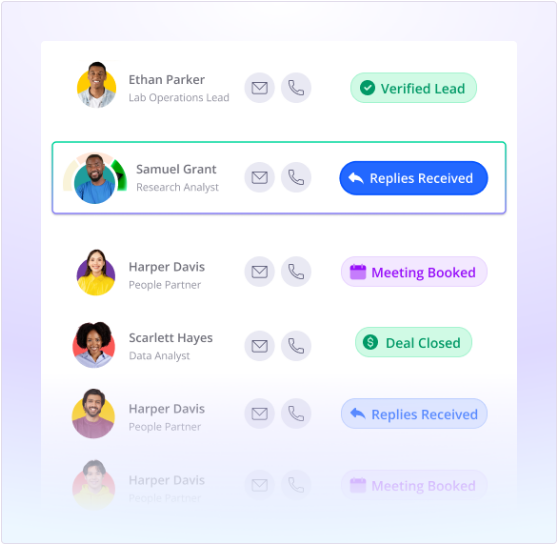
The infrastructure layer: where to get sending domains and managed inboxes
Instantly handles the campaign orchestration layer well. But it doesn’t provision your sending domains or manage the mailbox infrastructure underneath them. That’s where Maildoso and Mailforge come in.
My strong opinion here: don’t provision Google Workspace domains at scale for cold outreach. Google knows the pattern, and new domains hitting bulk outreach volumes within days of provisioning is a textbook spam infrastructure signal. Go with a managed provider instead.
The trap: Teams buy cheap domains on Namecheap, point them at Google Workspace, and call the infrastructure done. Then they wonder why warm-up scores plateau. The issue is that Google Workspace domains provisioned at scale trigger additional scrutiny from Gmail’s filters. It’s a recognized abuse pattern, and Google treats it accordingly.
Maildoso approach:
- Managed domain provisioning
  (aged domains, pre-configured DNS)
- Automatic SPF/DKIM/DMARC setup
- Warm-up included in the mailbox plan
- Connects directly to Instantly
  via SMTP or native integration

Mailforge approach:
- Bulk mailbox provisioning
  at lower per-seat cost
- Good for teams running 50+ inboxes
- DNS setup is semi-guided
- Pairs well with Instantly's
  account rotation feature
Mailforge makes sense if you’re managing a large inbox pool and want to keep per-seat costs down. Maildoso makes sense if you want someone else to handle the infrastructure entirely and just receive a working inbox. Neither replaces the audit steps above. They solve provisioning. They don’t fix bad sending behavior.
Choosing your list verification tool
If you’re running any meaningful outbound volume, email verification needs to be baked into the workflow, not treated as an occasional cleanup task. Here’s how I’d pick between the two main options:
ZeroBounce vs. Bouncer: which verification layer fits your stack
Choose ZeroBounce if

- You're working lists with a high percentage of catch-all addresses and need AI-scored deliverability estimates
- You want an API that plugs directly into your enrichment stack (Clay, Apollo, etc.) for real-time verification
- Your list volumes are large enough to warrant the bulk pricing tiers (100k+ records per month)
Choose Bouncer if

- You want a simpler, faster interface for one-off list uploads without committing to a monthly plan
- You're verifying smaller batches (under 50k records) and pay-as-you-go pricing makes more sense
- You need GDPR-compliant verification with EU data residency for European prospect lists
Both tools integrate into a Clay or Apollo enrichment step if you want to run verification earlier in the data pipeline. I’d argue that’s exactly where it belongs: verify before enrichment, not after, so you’re not spending enrichment credits on contacts that will never receive the email. For more on how Reply.io compares to Lemlist on the deliverability and sequencing side, that post covers sequencer-level differences if you’re evaluating platforms beyond Instantly.
What to do when a domain is already flagged
If you’re mid-audit and a domain is already on a blocklist or showing a dramatically low Email Health score in Instantly, here’s the recovery path.
- Pause all campaigns from that domain immediately.
- Drop sending volume to zero from flagged inboxes.
- Let warm-up run in Instantly for two to three weeks at low volume (20 to 30 per day per inbox).
- Submit delisting requests to Spamhaus, SORBS, and Barracuda, but don’t count on fast resolution.
- If the domain is under 90 days old and already flagged, retire it. Provisioning a new aged domain through Maildoso is faster than waiting out a recovery cycle on a domain that started life with a strike against it.
The best CRM for outbound teams post covers how to structure contact management so flagged domains don’t bleed into your primary outreach infrastructure. Worth reading if you’re also figuring out where Instantly sits in a broader GTM stack.
The one change that prevents most of this
Here’s the pattern I keep seeing. Teams treat sending infrastructure as a one-time setup. Provision the inboxes, connect them to Instantly, set up the sequence, move on. Then warm-up pauses because of a billing issue. DKIM records reset after a domain transfer. List hygiene gets skipped because the campaign is urgent. The whole thing degrades incrementally until you’re troubleshooting a fully burned domain six months later.
The fix is simple and boring: a weekly infrastructure check built into your RevOps cadence. Pull the Instantly Email Health dashboard. Verify warm-up is running on all active inboxes. Confirm no new domains have dropped authentication records. Run any new contact batches through ZeroBounce or Bouncer before they enter a sequence. That’s fifteen minutes a week. It prevents the multi-hour audit I just walked you through.
Sources
Frequently asked questions
Why are my cold emails going to spam?
The most common causes are missing SPF/DKIM/DMARC records, sending from cold or under-warmed inboxes, and dirty contact lists with high bounce rates. All three compound each other fast.
How do I check cold email deliverability in Instantly?
Use Instantly's Email Health dashboard to see per-inbox reputation scores, bounce rates, and warm-up progress. Flag any inbox below a 90 score before sending campaigns.
What bounce rate is too high for cold email?
Anything above 3% starts hurting domain reputation. Above 5% and you should pause the campaign immediately, clean the list, and let the inboxes recover before re-sending.
Does ZeroBounce or Bouncer actually improve deliverability?
Yes, but only as a list-cleaning step before sending. They catch invalid, risky, and catch-all addresses that would otherwise inflate your bounce rate and damage sender reputation.
What is Maildoso and how does it help with cold email deliverability?
Maildoso is a managed mailbox provider built for cold email outreach. It handles domain provisioning, DNS setup, and warm-up in a single workflow so you skip the manual infrastructure work.
Free Newsletter
Get new posts by email.
Migration guides, tool comparisons, and pricing breakdowns from real RevOps and GTM stacks, sent as they publish.
No spam. Unsubscribe anytime.
Enjoying this? Share it with your team.
Keep reading

Some links are affiliate links. Disclosure.