GuidesLead Generation
Make.com Lead Generation Workflows: 5 Builds That Fill Your Pipeline
Five opinionated Make.com lead generation workflow builds for RevOps teams. Covers Clay enrichment, HubSpot sync, Fillout forms, and n8n alternatives.

The tools compared
Entry prices from the pricing index, read Aug 12, 2026
Some links on this page are affiliate links. If you buy through them we may earn a commission at no cost to you; it never changes a verdict. How we make money
The short answer
Make.com is a strong orchestration layer for lead generation workflows when you pair it with Clay for enrichment, Fillout for form capture, and HubSpot for CRM sync, all without writing a line of code.
Most RevOps practitioners treating Make as a “Zapier alternative” are leaving serious pipeline value on the table. Make’s scenario builder handles iterator loops, error branches, and multi-route logic that a linear Zap cannot express. That means you can build a full inbound-to-outbound lead generation engine without touching a single line of code. Below I’m walking through five specific workflow builds I’d reach for first when standing up a Make.com lead generation stack for a B2B SaaS team.
Why Make.com Is Actually a Lead Generation Tool
The common frame is wrong. Make is not a task automation tool. It is a workflow orchestration layer that happens to have over 1,000 native app connectors. For lead generation specifically, that means you can express the full lead lifecycle inside a single scenario: capture, enrich, score, route, sequence, and notify, with conditional logic at each gate.
The typical failure is teams using Make for one-step integrations (form submission fires into a spreadsheet) when the real value is multi-module scenarios that encode your actual qualification logic. The five builds below are all multi-step by design. One-step integrations are what Zapier is for.
The Five Builds
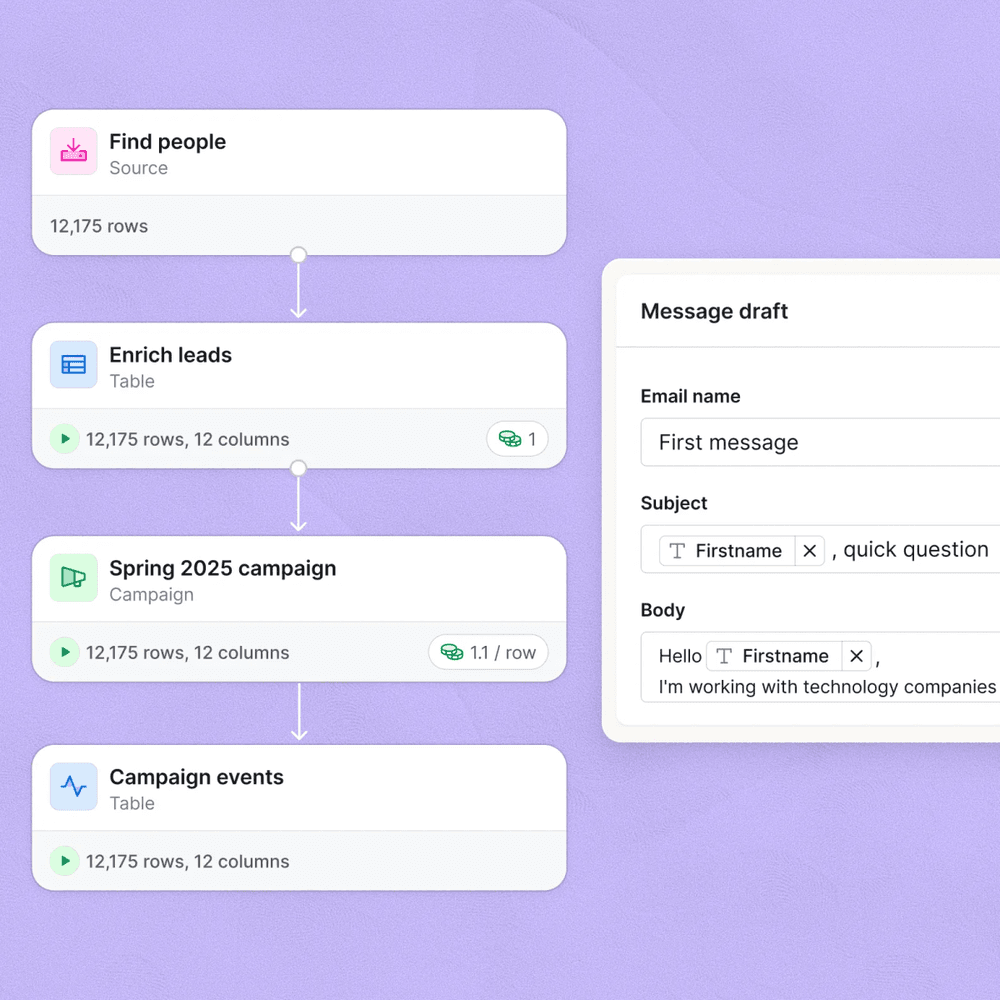
This is the inbound lead capture backbone. A Fillout form submission triggers a Make webhook. Make extracts the email and company fields, POSTs them to a Clay table via Clay's inbound webhook, waits for Clay's waterfall enrichment to fire (technographics, LinkedIn URL, headcount, funding), then receives the enriched payload on a second Make webhook and creates or updates the HubSpot contact with all enriched properties mapped. Run HubSpot's 'Search contacts' action first so you are upserting, not duplicating. Fillout earns its place here because it supports multi-step conditional forms and native Make triggers without needing a Zapier intermediary stitched in between.
LinkedIn's Lead Gen Forms push data to Make via the LinkedIn native module. The scenario checks whether the email domain matches a blocklist (personal email domains, competitors) using a Make text parser and a filter module. Passing leads get routed to your sequencer of choice. I'd wire in Smartlead or Instantly here via HTTP module if there is no native Make connector, using the sequencer's REST API to add the lead to a campaign. A Slack notification module fires on every qualified lead so the SDR sees it immediately. This build collapses a three-Zap chain into a single scenario with one error surface to monitor.
G2 Buyer Intent data (available on G2 Marketing Solutions plans) can be pulled via API or exported to a Google Sheet on a schedule. A Make scenario runs on a 15-minute interval, reads new rows from the sheet, filters for accounts not already in HubSpot, enriches the company domain through Clearbit's free company API or a Clay webhook, scores the account against your ICP definition in a Make router, and for accounts scoring above threshold, creates a HubSpot company plus a task assigned to the owning AE. This is the closest you get to automated intent-to-pipeline without signing an ABM platform contract.
Tools like RB2B or Leadfeeder identify anonymous website visitors and expose a webhook or API. A Make scenario receives the visitor payload, extracts the LinkedIn URL or email if present, checks HubSpot for an existing contact, and for net-new records creates the contact and logs a custom 'website visit' activity with the page URL and timestamp. For returning contacts, Make appends the visit to their activity timeline using HubSpot's timeline event API via Make's HTTP module. My read is that this build alone justifies a Make Core subscription if you are running paid traffic. The manual version of this process never actually happens consistently.
Partner-sourced leads often need to land in two systems simultaneously: your HubSpot (or Salesforce) instance and your partner's portal or a shared tracking sheet. A Make scenario receives the referral form submission from Fillout or Tally, creates the contact in HubSpot, logs the partner source as a custom property, writes a row to a shared Google Sheet with the partner's name and referral timestamp, and triggers a confirmation email via HubSpot's transactional email API to both the referring partner and the lead. The multi-destination write is where Make's router module earns its keep. A single Zap cannot fan out cleanly to three destinations with error handling on each branch.
The Gotcha That Kills Most Make Lead Workflows
The most common failure point is the missing error handler on the enrichment step. When Clay or any enrichment API returns a 429 or a partial response, Make’s default behavior is to stop the scenario run and mark the bundle as failed. Your lead is silently dropped. No alert. No fallback record.
The trap: You build the happy path (form fires, enrichment returns, HubSpot creates contact) and ship it. Two weeks later you notice a gap in HubSpot contacts. The Make scenario history shows 40 failed bundles from enrichment timeouts. None of those leads made it to your sequencer.
Fix this before the first lead goes live. Add an error handler route on every HTTP or webhook module that calls an external enrichment API. Route failures to a fallback: create the contact in HubSpot with only the raw form data, tag it with a “needs-enrichment” property, and alert Slack. You can re-enrich manually or run a cleanup scenario on a schedule. The error route is not optional polish. It is the build.
// Make HTTP module: error handler config
// Set "Error handling route" on the enrichment module
// Fallback action: Resume
// Then connect a HubSpot "Create Contact" module
// with only guaranteed fields mapped

{
  "email": "{{1.email}}",
  "firstname": "{{1.first_name}}",
  "lastname": "{{1.last_name}}",
  "hs_lead_status": "NEW",
  "enrichment_status__c": "pending",
  "enrichment_failed": true
}

// Slack notify module after fallback contact create:
// "Lead {{1.email}} created without enrichment.
//  Enrichment API returned {{error.message}}.
//  Review: https://app.hubspot.com/contacts/..."
Which Tool Stack Goes With Make
Make is the orchestration layer, not the data layer or the sending layer. Here is how I’d match it to the other tools in the stack depending on the team’s situation:
Which Layer Goes With Make for Lead Gen
Choose Clay if

- Your lead enrichment needs waterfall logic across 10-plus providers
- You want enrichment managed in a spreadsheet-like interface without code
- You are running outbound and need LinkedIn data plus email verification in one pass
Choose Fillout if
- You need multi-step conditional forms that trigger Make webhooks natively
- You want payment collection or document signing inside the same form flow
- Your team does not want to maintain a separate form tool and a Zap just to get data into Make
Choose HubSpot if

- Your CRM is already HubSpot and you want native create-or-update without a dedup script
- You need HubSpot workflow triggers to fire after Make writes the contact
- Your team lives in HubSpot for deal management and you want lead data to land there automatically
Choose n8n if

- Your team has a developer who can self-host and maintain a Node.js environment
- You need custom code nodes that Make's native modules cannot express
- You want to avoid per-operation pricing as your lead volume scales above 50k ops per month
If you are already thinking about whether your HubSpot workflow logic should move to n8n, the HubSpot Workflows to n8n migration playbook covers the tradeoffs in detail. For the cold email layer that connects to Builds 2 and 3, the best cold email stack under $300 in 2026 is worth reading before you wire up a sequencer.
Putting the Stack Together
Make is genuinely good at the orchestration problem in B2B lead generation: connecting a form tool to an enrichment layer to a CRM to a sequencer, with conditional routing and error handling, all without engineering involvement. The five builds above cover the most common pipeline gaps RevOps teams tend to patch manually. Start with Build 1 (Fillout to Clay to HubSpot) as your foundation. Add error handlers before you go live. Layer the intent and deanonymization builds on top once the inbound path is solid.
The n8n swap only makes sense once you have a developer who will own the infrastructure and you are north of 50,000 operations per month, where per-op pricing starts to add up meaningfully. For most RevOps operators without that, Make is the right call.
Sources
Frequently asked questions
Can Make.com be used for lead generation?
Yes. Make.com connects form tools, data enrichment APIs, and CRMs in multi-step scenarios, making it a capable orchestration layer for inbound and outbound lead generation workflows.
How does Make compare to Zapier for lead generation?
Make handles more complex, branching logic at a lower price point than Zapier for equivalent operations, which matters once your lead workflows involve conditional routing or multi-step enrichment.
Can I connect Clay to Make.com?
Yes. Clay exposes a webhook endpoint you can POST leads to from a Make scenario, triggering waterfall enrichment before the record lands in your CRM.
Does Make.com integrate with HubSpot?
Make has a native HubSpot module that can create or update contacts, deals, and companies, and can read CRM properties to drive branching logic in your scenario.
Is Make.com good for no-code RevOps automation?
Make is one of the better no-code options for RevOps because its scenario builder handles branching, iteration, and error routing that simpler tools like Zapier Zaps cannot express cleanly.