GuidesCRM
Connect Salesflare to HubSpot with n8n: Auto-Sync Contacts
Step-by-step n8n workflow to sync Salesflare contacts to HubSpot and trigger follow-up sequences automatically. No native integration exists, so here is how to build it.

The tools compared
Entry prices from the pricing index, read Aug 12, 2026
Some links on this page are affiliate links. If you buy through them we may earn a commission at no cost to you; it never changes a verdict. How we make money
The short answer
Use n8n to poll the Salesflare API for new or updated contacts, upsert them into HubSpot, and enroll them in a follow-up sequence automatically, no native integration required.
If you run Salesflare as your pipeline CRM and HubSpot as your marketing hub, you already know the problem: a contact closes a discovery call in Salesflare and nothing happens on the HubSpot side until someone remembers to copy it over. There is no native Salesflare HubSpot integration. No Zapier template covers it cleanly. The gap is real, and it costs you follow-up lag. This tutorial walks through an n8n workflow that polls the Salesflare API, upserts contacts into HubSpot, and enrolls them in a sequence automatically. I’d recommend this approach over any point-and-click alternative for teams that care about deduplication logic and field-level control.
Why this workflow exists and what it actually does
Salesflare is built around automatic data capture, pulling contact and company data from your email, calendar, and LinkedIn activity without manual CRM entry. Genuinely useful for a leaner sales team. HubSpot, on the other hand, is where most B2B marketing teams run lifecycle nurturing, sequence enrollment, and lead scoring. When those two systems don’t talk, you either duplicate contacts by hand or let warm leads go cold.
The workflow described here runs on a 15-minute Schedule Trigger in n8n. It calls the Salesflare contacts endpoint filtered by modificationDate, maps the response fields to HubSpot contact properties, upserts by email to avoid duplicates, and conditionally enrolls the contact in a HubSpot sequence based on a lifecycle stage field. The whole thing runs in under 30 nodes and costs nothing beyond your n8n instance, since both APIs are accessible on paid tiers of each tool.
Per the Salesflare API docs, the contacts endpoint supports date_from filtering so you page through only recently modified records rather than dumping your entire database on every run. That detail matters at scale.
Build the workflow step by step
In n8n, go to Credentials and add a new HTTP Header Auth credential. Set the header name to 'x-api-key' and paste your Salesflare API key from Settings > API in the Salesflare app. Name the credential 'Salesflare API' so it is reusable across nodes. Per the Salesflare docs, all endpoints use this single key header with no OAuth handshake required, which keeps the setup simple.
Drop a Schedule Trigger node as your workflow entry point. Set interval to 15 minutes. On the first run, hardcode a lookback date in the filter. After that, use a static workflow variable or a Set node that stores the last successful run timestamp so each poll only fetches delta records. Skip this step and you will re-process the full contact list on every execution.
Add an HTTP Request node. Method: GET. URL: https://api.salesflare.com/contacts. Under Query Parameters, add 'date_from' mapped to your timestamp variable. Set Authentication to the Salesflare API credential you created. Enable 'Return All' pagination or handle the 'next_page' cursor in a loop node if your contact volume exceeds 100 records per page. The response returns a JSON array of contact objects with fields like email, firstname, lastname, phone, and linked account data.
Add a HubSpot node and select the 'Create or Update' (upsert) operation on Contacts. Set the identifier property to 'email'. Map Salesflare fields to HubSpot properties: email to email, firstname to firstname, lastname to lastname, phone to phone, and any custom fields you are passing. Pull the account name from the nested account object in the Salesflare response using an expression like `{{ $json.account.name }}`. Add a 'salesflare_id' custom property in HubSpot if you want a reliable back-reference for future bidirectional builds.
After the upsert, add an IF node that checks whether the Salesflare contact has a specific tag or stage value, for example 'Qualified' or 'Demo Booked'. If true, call the HubSpot Sequences API via an HTTP Request node using a POST to the Sequences enrollment endpoint. If false, route to a No Operation node or log to a Slack channel. This conditional keeps you from enrolling every synced contact into sequences meant only for warm leads.

The deduplication trap and how to fix it
The most common failure in contact sync workflows is running upserts without understanding how HubSpot resolves identity. HubSpot deduplicates on email by default, but if a contact in HubSpot was created with different email casing or has no email at all, the upsert creates a duplicate instead of updating. The fix: always normalize email to lowercase before the HubSpot node using a Code node or a Set node with a .toLowerCase() expression.
My read is that this single normalization step prevents more re-work than any other part of the build. Don’t skip it.
The trap: Salesflare stores emails as entered, sometimes mixed case. HubSpot’s upsert does a case-sensitive match in some API versions, meaning John@Company.com and john@company.com create two records. Your sequence enrollment then fires twice, or worse, neither record has complete data.
// Code node: normalize email before HubSpot upsert
const items = $input.all();
return items.map(item => {
  item.json.email = (item.json.email || '').toLowerCase().trim();
  return item;
});
A second gotcha: per the HubSpot Knowledge Base, the Sequences enrollment API requires the contact to have a connected inbox assigned, and it only works for contacts owned by a user with a Sales Hub Seat. If your upserted contact has no owner assigned, the enrollment call returns a 400. Add an owner assignment step in your workflow before the enrollment node, pulling the owner from the Salesflare account owner field.
Alternatives if n8n is not in your stack
If you are not running n8n already, the honest comparison is between Zapier and Clay as the two realistic alternatives.
Which middleware fits your Salesflare to HubSpot sync?
Choose n8n if

- You want full control over dedup logic, field mapping, and conditional enrollment without per-task pricing
- Your team can maintain a self-hosted or cloud n8n instance
- You are already running other n8n workflows and want one platform for orchestration
Choose Zapier if

- You want the fastest possible setup and are comfortable with Zapier's Salesflare trigger app
- Your contact volume is low enough that per-task pricing does not hurt
- You do not need custom deduplication or multi-step conditional logic
Choose Clay if

- You want to enrich contacts pulled from Salesflare before pushing to HubSpot
- Your use case is prospecting and you need waterfall enrichment baked into the sync
- You are building outbound sequences, not just CRM hygiene
If you are already running Make for other automations, Make has a Salesflare module in its marketplace, which gets you similar control to n8n with a visual canvas. I covered some of the patterns that apply there in my Make lead generation workflow builds post.
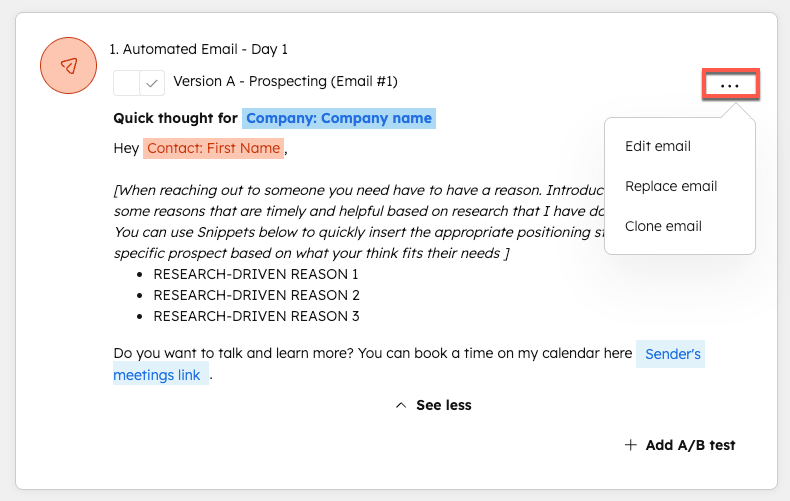
If you are thinking about moving workflow logic out of HubSpot entirely and into n8n, the HubSpot Workflows to n8n migration playbook is worth reading alongside this tutorial. It covers the edge cases around enrollment triggers and contact property history that bite teams who assume the switch is purely structural.
Putting it together
The Salesflare to HubSpot sync via n8n looks more intimidating than it is. You are making two API calls, normalizing one field, and running a conditional branch on a contact property. The polling schedule and the timestamp variable management are the only parts that require real attention. Once it runs clean, your sales team’s Salesflare activity feeds directly into HubSpot nurturing without anyone touching a keyboard. That handoff is where most RevOps setups lose leads. This workflow closes it.
Sources
Frequently asked questions
Does Salesflare have a native HubSpot integration?
No. Salesflare does not offer a native HubSpot connector. You need a middleware layer like n8n, Zapier, or Clay to sync data between the two platforms.
Can I use Zapier instead of n8n for a Salesflare HubSpot integration?
Yes. Zapier has a Salesflare trigger app, but n8n gives you more control over field mapping, deduplication logic, and conditional branching without per-task pricing.
What Salesflare API does n8n use to pull contacts?
The Salesflare REST API exposes a contacts endpoint that accepts filter and date parameters, letting you poll for records created or modified since a given timestamp.
Will contacts created in HubSpot sync back to Salesflare?
Not with this workflow as described. This build is a one-direction sync from Salesflare to HubSpot. A bidirectional loop requires a second n8n workflow polling HubSpot for new contacts.
How often should I poll the Salesflare API in n8n?
Every 15 minutes is a safe default. Salesflare does not publish a hard rate limit for read operations, but polling more frequently than every 5 minutes risks hitting throttle thresholds.