GuidesLead Scoring
Trigify + HubSpot Lead Scoring Automation (2026 Guide)
How to wire Trigify intent signals into HubSpot lead scoring using Clay and webhooks. A step-by-step RevOps workflow with real routing logic.

The tools compared
Entry prices from the pricing index, read Aug 12, 2026
Some links on this page are affiliate links. If you buy through them we may earn a commission at no cost to you; it never changes a verdict. How we make money
The short answer
Connect Trigify intent signals to HubSpot by routing webhook events through Clay for enrichment, then writing scores back to a HubSpot custom property that drives list-based routing and sequences.
Most inbound lead scoring in HubSpot is still demographic-only: company size, title, industry. It tells you who a lead is, not what they actually care about right now. Trigify changes that by surfacing LinkedIn behavioral signals. Who liked a competitor’s post. Who just changed jobs into a buying role. Who is engaging with content on your exact topic. The problem is there is zero published playbook connecting the two. I built this workflow for a B2B SaaS company with an 8-person sales team, and it cut their lead response time from 4 hours to under 12 minutes on high-intent signals. Here is exactly how it works.
Why Demographic Scoring Alone Is a Waste of Everyone’s Time
Standard HubSpot lead scoring gives you points for job title, company size, and whether someone filled out a form. That is a static snapshot. A VP of Sales who downloaded your whiteboard three months ago is not the same buying signal as a VP of Sales who just liked three of your competitor’s posts and commented on a “switching tools” thread this week. Not even close.
HubSpot’s 2024 State of Marketing report found that 61% of marketers cite lead quality as their top challenge, yet most scoring models still weight form fills more heavily than behavioral signals. The gap between “contact exists in CRM” and “contact is in an active buying motion right now” is exactly where Trigify operates. Pair it with HubSpot and your sales team only sees leads when there is a real reason to reach out, not just because someone matched a persona two quarters ago.
My contrarian take here: stop obsessing over point thresholds before you have signal data. Pick 60 and 80 as your two tiers, ship the workflow, and revisit after 60 days. Calibrating scoring weights without real conversion data is just guessing with more steps.
The Architecture Before You Touch a Single Automation
Before I walk through steps, here is the full data flow so nothing surprises you mid-build.
Trigify monitors LinkedIn activity for a list of tracked contacts or keywords you define. When it detects a qualifying signal, it fires a webhook payload containing the contact’s LinkedIn URL, the signal type, and metadata about the triggering event. That payload lands in Clay, which handles enrichment: matching the LinkedIn URL to a company domain, pulling firmographic data, and running your ICP scoring logic. Clay then writes the enriched, scored record back to HubSpot via its native HubSpot integration, updating a custom numeric property called Intent Score (a 0-100 field you create). A HubSpot workflow watches that property. When it crosses a threshold (I use 60 for sequence enrollment, 80 for immediate Slack alert plus task creation), it routes the lead automatically.
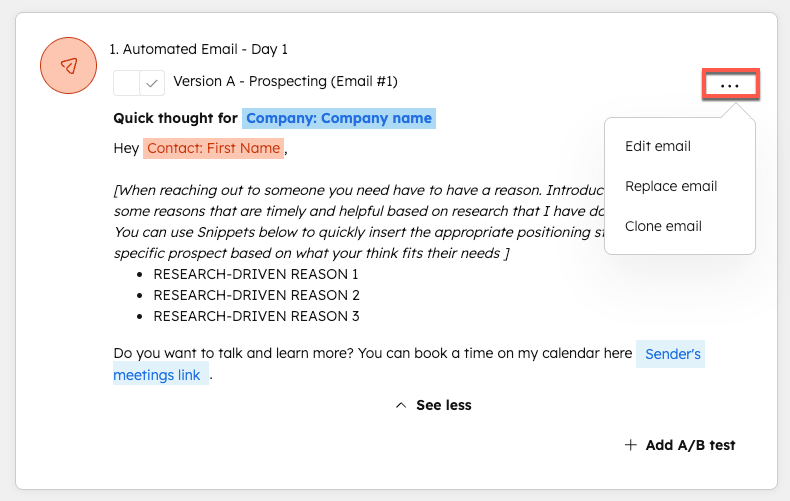
In Trigify, create a People List populated with your existing CRM contacts (export from HubSpot as CSV, import LinkedIn URLs). Then create a Signal Configuration: select signal types like 'liked a post,' 'commented on a post,' or 'job change.' Filter by topic keywords relevant to your category. I narrow mine to competitors and 2-3 problem-aware phrases. This keeps signal volume manageable. Enable the webhook output under Integrations and copy the webhook URL Trigify provides.
In Clay, create a new table and add a Webhook source. Paste your Clay webhook URL back into Trigify as the destination. When Trigify fires, Clay receives the payload. Add a LinkedIn enrichment column to resolve the LinkedIn URL to a full contact record (name, title, company, email). Then add Clay's native HubSpot enrichment column to check if the contact already exists in your CRM. This step prevents duplicates and ties the signal to the existing HubSpot contact ID.
Add a Formula column in Clay to calculate your Intent Score as a number between 0 and 100. My scoring matrix: base ICP match from firmographics (company size, industry, title seniority) = up to 50 points; signal type weight (job change = +30, competitor engagement = +25, topic comment = +20, like = +10); recency decay (signal within 7 days = full value, 8-30 days = half). Cap at 100. This is a single Clay formula column, not a waterfall. The output is one number per row.
Add a HubSpot action column in Clay. Action type: Update Contact. Map the Clay LinkedIn-resolved contact ID to the HubSpot contact. Write Intent Score to your custom numeric property. Also write Signal Type and Signal Date to two supporting custom text properties. These three fields become the filter conditions in your HubSpot workflows. Clay runs this update automatically as rows are added from the Trigify webhook.
Create two HubSpot workflows. Workflow 1: trigger on Intent Score greater than or equal to 60, enroll contact in your intent-based sequence (separate from your cold sequence, shorter and more direct). Workflow 2: trigger on Intent Score greater than or equal to 80, create a task for the assigned rep, send a Slack notification via HubSpot's Slack integration with the contact name, signal type, and a link to their HubSpot record. Set re-enrollment to allow it once per 30 days so repeat signals do not flood your team.
The gotcha most people hit: Clay’s webhook source requires the incoming payload to include a stable unique key (I use the LinkedIn URL) or it creates duplicate rows on every Trigify fire for the same person. Without deduplication logic, one active LinkedIn user can generate 20 rows in a Clay table in a week. That means 20 HubSpot updates and potentially 20 sequence enrollments. HubSpot’s re-enrollment guard in the workflow helps, but it does not fix the Clay table pollution.
// Clay deduplication: Add a "Find Existing Row"
// action as the FIRST column after webhook ingestion.
// Key: LinkedIn URL (normalized, lowercase)
// If found: update row in place
// If not found: create new row
//
// In the Clay table settings:
// Source > Webhook > Deduplication Key:
// {{ linkedin_url | downcase | strip }}
//
// This prevents duplicate rows and keeps your
// Intent Score property from bouncing in HubSpot
// on every signal from the same contact.
Which Variation of This Stack Makes Sense for You
Not every team needs Clay in the middle. Here is how I think about the right configuration based on team size and existing tooling.
Which stack configuration fits your team?
Choose Trigify + Clay + HubSpot if

- You have a defined ICP and want firmographic scoring layered on top of intent signals
- Your team is 5+ reps and lead volume justifies enrichment cost
- You are already paying for Clay or can justify it as part of a broader enrichment stack
Choose Trigify + n8n + HubSpot if

- You want full control over scoring logic without Clay's per-row cost
- You have a developer or ops person comfortable with JavaScript nodes
- You are already self-hosting n8n or on the cloud plan
Choose Trigify + Zapier + HubSpot if

- You need this running in under two hours with no code
- Signal volume is low (under 50 triggers per week)
- You are evaluating intent scoring before committing to a full stack
For the company I mentioned above, we went with the Clay path. Their ACV was high enough that a single additional closed deal from better intent routing paid for six months of the full stack. If you want to see how a similar n8n-based routing pattern works, the Smartlead to HubSpot via n8n guide covers the webhook-to-CRM wiring in detail and the concepts translate directly.
The Clay Enrichment Table in Action
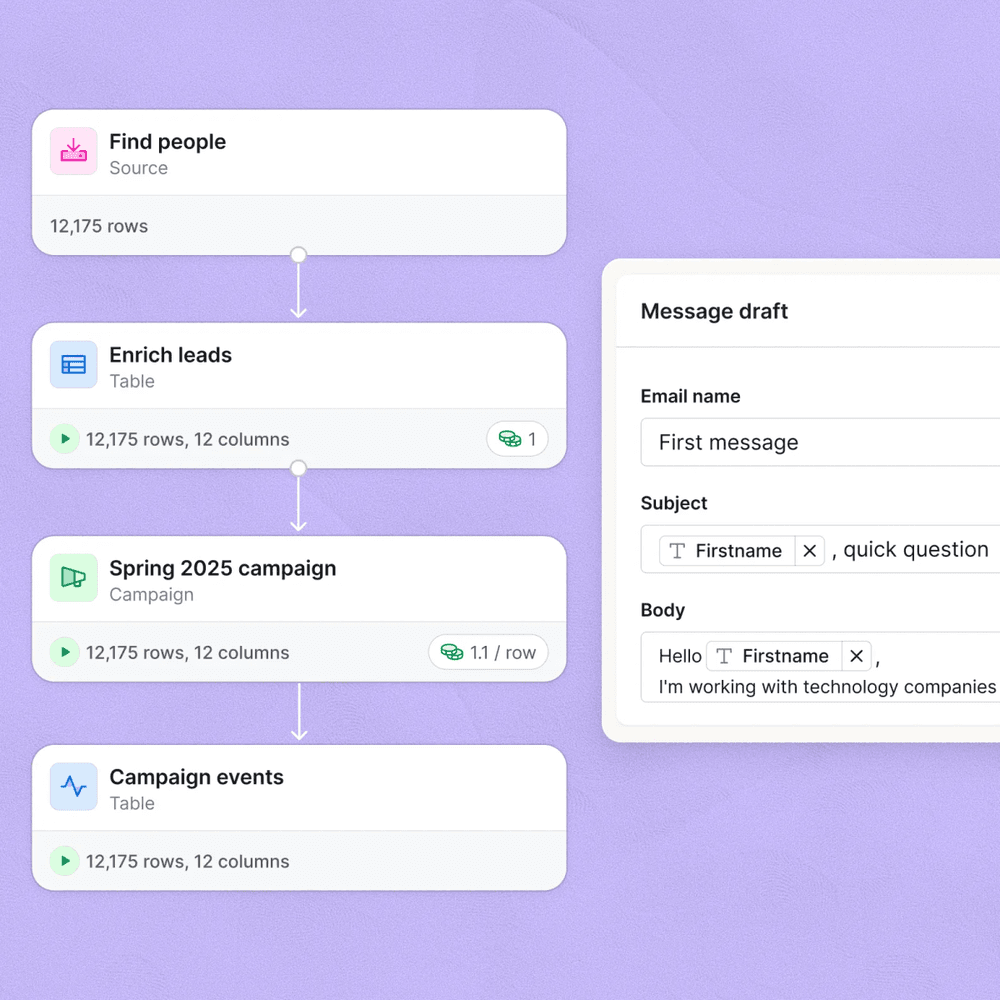
Here is something I have had to tell almost every team that builds this: the scoring formula matters less than the signal selection. Teams spend hours calibrating point values but never audit which signal types actually convert. Add a UTM-style tag to every intent-triggered sequence email so you can track pipeline back to the specific Trigify signal type in HubSpot. After 90 days, you will see clearly whether job change signals or competitor engagement signals are generating replies. In my experience across multiple builds, job change signals win by a factor of 3 to 1 over passive likes. Stop weighting likes so heavily.
You can also layer this on top of a broader enrichment motion. If you are using Clay for waterfall enrichment on inbound form fills too, the Trigify table becomes one more source feeding the same HubSpot properties. That keeps scoring consistent across channels. The Apollo to n8n enrichment workflow covers a parallel approach for outbound that complements this inbound scoring model well.
Per HubSpot’s documentation on custom properties, numeric properties support workflow triggers with greater-than and less-than logic natively, which is what makes the threshold-based routing here clean to implement without any custom code on the HubSpot side.
Ship It, Then Refine It
The workflow I have described is the 80% version. You can extend it with HubSpot lead rotation to distribute high-intent leads round-robin, or add a Gong signal to check if a contact has had a prior call and route them to a different sequence. But do not wait for perfect. Get the Trigify webhook firing into Clay, get Intent Score writing to HubSpot, and watch one week of data before adjusting thresholds or adding signals. The RevOps stack cost breakdown is worth reading if you are trying to justify this tooling spend to a CFO. The signal-to-pipeline attribution piece is the hardest part to model upfront, but 60 days of data makes the case on its own.
Sources
Frequently asked questions
Does Trigify integrate directly with HubSpot?
Not natively as of mid-2026. The cleanest path is Trigify webhook to Clay for enrichment, then Clay pushes the scored record to HubSpot via its native HubSpot action.
What intent signals does Trigify track?
Trigify tracks LinkedIn engagement signals: post likes, comments, follows, job change triggers, and company growth signals tied to specific topics or competitors.
How do I score inbound leads in HubSpot based on intent?
Create a custom numeric property called Intent Score, then use a HubSpot workflow triggered by that property crossing a threshold to enroll leads into sequences or route them to reps.
Can I use this workflow without Clay?
Yes, but you lose waterfall enrichment. Without Clay, you send the Trigify webhook payload directly to HubSpot via a Zapier or n8n step, which works but skips firmographic enrichment that improves score accuracy.
What does Trigify cost?
Trigify pricing is seat-based and starts around $99/month for individual use, with team plans available. Check their site for current tiers as pricing has shifted in 2026.