Beehiiv Automations Guide: Every Workflow for 2026
 By Ian Chamberland 10 min read
 TL;DR
Beehiiv's native automations cover the core subscriber lifecycle well, but you need n8n or Make webhooks to connect it to your CRM, segment by behavior, and fire external sequences off newsletter signals.
On this page
Most Beehiiv operators I talk to are leaving serious automation value on the table. They set up a welcome email, maybe a three-step onboarding sequence, and call it done. Meanwhile the platform is firing subscriber events, referral milestones, tag assignments, and paid upgrade signals that can drive CRM enrichment, outbound sequences, Slack alerts, and Stripe revenue logic. None of that requires writing a line of code if you wire it properly. This post is the complete playbook I use when setting up beehiiv automations for a newsletter-led GTM motion: what to build natively, what to push through n8n or Make, and where Kit is actually worth the migration pain.
Beehiiv’s automation builder is good enough for subscriber lifecycle. It is not good enough for revenue operations. You need a webhook layer to make newsletter signals drive pipeline.
The native beehiiv automation stack you should have running
Before you touch a webhook, there are four automations every beehiiv operator should have live inside the platform’s own builder. I see operators skip these constantly, then wonder why churn is high or why new subscribers go cold.
1. Welcome and onboarding sequence. The trigger is “New subscriber confirmed.” Build a five-email sequence over 14 days: day one is a genuine welcome and one-click survey (use a Typeform or Tally link), day three delivers your best-performing issue, day seven asks what problem brought them here, day ten introduces the referral program, day fourteen offers your paid tier if you have one. This sequence has more leverage than almost anything else in your stack. Don’t agonize over subject lines until this is running.
2. Re-engagement on inactive subscribers. Trigger: subscriber has not opened any email in 60 days and carries the tag “active.” Send three re-engagement emails over two weeks. No open after that? Apply a “cold” tag and suppress from main broadcasts. This protects deliverability. Beehiiv’s sender reputation is shared infrastructure, and cold subscribers will tank your open rates for everyone else on your list.
3. Referral milestone celebrations. Beehiiv’s referral program is genuinely good, and most operators completely ignore its automation hooks. Trigger separately on “Referral count reaches 1” and “Referral count reaches 5.” Give a real reward at each milestone: a PDF, a bonus issue, a product discount. Not a badge. Automate the delivery so you are not doing it manually at 11pm.
4. Paid upgrade upsell sequence. If you have a paid tier, trigger on “Subscriber has been active for 30 days AND opened more than 8 issues.” Three emails making the upgrade ask with a specific value prop. In my testing, this segment converts at 2-3x the rate of a cold list blast. The timing matters more than the copy.
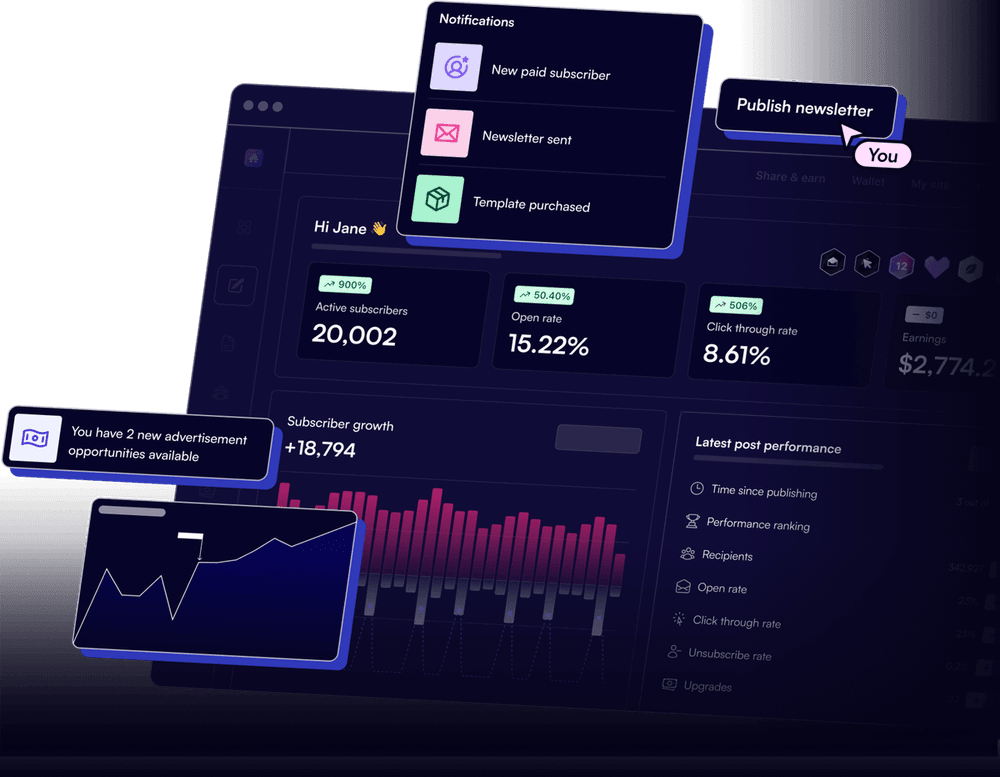
The webhook layer: connecting beehiiv to your GTM stack
This is where beehiiv automations get genuinely powerful for RevOps operators. Beehiiv fires webhooks on every major subscriber event. You catch them in n8n or Make, transform the payload, and route signals into your CRM, outbound tool, Slack, or anywhere else.
Go to Settings > Integrations > Webhooks. Add your n8n or Make webhook URL as the endpoint. Select the events you want: subscriber.created, subscriber.updated (for tag changes), subscription.upgraded, and referral.created are the four I always enable first. Beehiiv signs payloads with an HMAC secret, so grab that and store it as an environment variable before you save.
In n8n, add a Webhook trigger node set to POST. Add a Code node immediately after it that verifies the HMAC signature using the secret you stored. If validation fails, return a 401 and stop. This prevents junk or spoofed payloads from polluting your CRM. Beehiiv's webhook docs at beehiiv.com/support detail the exact signing method.
After validation, add an IF or Switch node on the event field in the payload. subscriber.created routes to your CRM contact creation path. subscription.upgraded routes to your MRR tracking and Slack alert path. Tag changes (subscriber.updated where tags changed) route to your segmentation or outbound trigger path. Keep each branch clean and independent.
For subscriber.created events where the subscriber came from a B2B acquisition channel (you can tell by UTM params in the payload), run the email through a Clay enrichment call or a direct Clearbit or Apollo lookup. Then upsert into HubSpot or Salesforce with the beehiiv subscriber ID as a custom property. This is how newsletter signals become pipeline.
When a subscriber gets tagged 'high-intent' (you set this manually or via a beehiiv automation that fires when they click a specific link type), the webhook fires subscriber.updated. Your n8n flow catches it, looks up the contact in your CRM, checks if they have an open deal, and if not, enrolls them in a cold outbound sequence in Smartlead or Instantly. Newsletter reads becoming outbound triggers is the whole game.
The gotcha everyone hits: Beehiiv sends subscriber.updated for every property change, including internal beehiiv-side updates you did not trigger. If you do not filter on which fields actually changed, you will create duplicate CRM records, spam your Slack channel with noise, or fire outbound sequences at subscribers who just had their timezone updated. Always check the changed_fields array in the payload before acting.
{
  "event": "subscriber.updated",
  "data": {
    "subscriber_id": "sub_abc123",
    "email": "user@example.com",
    "changed_fields": ["tags"],
    "tags": ["high-intent", "active"],
    "utm_source": "linkedin",
    "custom_fields": {
      "company": "Acme Corp",
      "title": "VP Sales"
    }
  }
}
Filter on changed_fields including "tags" before routing to any outbound or CRM action. If it is not in that array, skip the branch entirely.
Which automation layer fits your operation
Native beehiiv automations are right for subscriber lifecycle. The webhook-plus-orchestration layer is right for GTM. Here is how I think about the tool choice for operators running different motions. Don’t pay for n8n cloud if you only need welcome sequences. Don’t stay on native-only if you have a sales team waiting on intent signals.
Which beehiiv automation layer fits your stack
Choose Beehiiv Native Automations if

- You only need subscriber lifecycle flows: welcome, re-engagement, referral rewards
- You are not syncing newsletter data to a CRM or outbound tool
- You want zero-code setup and do not have a RevOps resource
Choose n8n (self-hosted or cloud) if

- You need to route beehiiv webhook events into HubSpot, Salesforce, Clay, or outbound tools
- You want full control over logic without per-task pricing
- You have someone on the team who can read a JSON payload
Choose Make if

- You want a visual drag-and-drop builder for beehiiv webhook routing without writing code
- You need to connect beehiiv to tools like Airtable, Notion, or Stripe in addition to your CRM
- You are comfortable with scenario-based pricing and moderate complexity
Choose Kit (migration) if

- You need mature conditional branching logic that beehiiv's builder cannot handle
- Your audience is creator-economy or e-commerce, not B2B SaaS
- You are already using Kit's commerce or creator network features
Connecting the full GTM loop
The highest-value beehiiv automation pattern I have built is what I call the newsletter-to-pipeline loop. A B2B prospect subscribes via a lead magnet. Beehiiv sends the welcome sequence natively. The webhook fires subscriber.created into n8n. n8n enriches the email via Clay (job title, company, LinkedIn URL). The enriched contact lands in HubSpot as a Marketing Qualified Lead. Then, if they click a product-interest link in any issue, the tag change fires another webhook that escalates them to a Sales Qualified Lead and notifies the AE in Slack.
This is not exotic. It takes about four hours to wire up if you have n8n running. The tricky part is the enrichment step, because you need to handle emails that do not match a company (personal Gmail, etc.) without breaking the flow. I route those to a “personal email” branch that applies a tag but skips CRM creation entirely.
If you are building a full outbound stack alongside your newsletter, beehiiv engagement signals are your best intent data. Full stop. People who read your content before buying are warmer than anyone you scrape from Apollo. The HubSpot workflows vs. Kit comparison post covers the CRM-side logic if you want to go deeper on the receiving end of these flows.
For the outbound sequencing step, n8n orchestrating into Smartlead or Instantly handles the actual send. Keep the sequence tool separate from the newsletter tool. They serve different deliverability pools, and you do not want newsletter unsubscribes tanking your cold outbound reputation.
Build the webhook layer before you optimize the sequences
The native beehiiv automation builder is solid for what it does. Welcome sequences, re-engagement, referral rewards, paid upsells: all of these should be live before you touch anything else. But the real value for RevOps is the webhook layer. Once subscriber events are flowing into n8n or Make, you have a real-time intent stream that most outbound teams spend thousands per month trying to recreate with third-party intent data. Beehiiv gives it to you as a side effect of running a newsletter. Build the plumbing first, then optimize the sequences.
Sources
Frequently asked questions
Does beehiiv have native automations?
Yes. Beehiiv includes a visual automation builder on Scale and higher plans that supports welcome sequences, tag-based triggers, and time delays. It does not natively connect to external CRMs or outbound tools.
Can you connect beehiiv to HubSpot or Salesforce?
Not with a native integration. You need n8n, Make, or Zapier to forward subscriber events from beehiiv webhooks into HubSpot contacts or Salesforce leads.
What triggers are available in beehiiv automations?
Beehiiv supports triggers including new subscriber, tag applied, referral milestone reached, segment entry, and upgrade or downgrade on paid subscriptions.
Is beehiiv automation available on the free plan?
No. Beehiiv's automation builder requires the Scale plan, which starts at $99 per month for up to 100,000 subscribers.
How does beehiiv compare to Kit for automations?
Kit offers more mature conditional logic and deeper e-commerce integrations, but beehiiv's native monetization and referral triggers are purpose-built for newsletter operators who also want to run outbound off subscriber signals.
Free Newsletter
Get new posts by email.
Migration guides, tool comparisons, and pricing breakdowns from real RevOps and GTM stacks, sent as they publish.
No spam. Unsubscribe anytime.
Enjoying this? Share it with your team.
Keep reading

Some links are affiliate links. Disclosure.