GuidesRevOps
Make Integrations That Actually Work for GTM Teams in 2026
The Make integrations GTM and RevOps teams rely on most: HubSpot, Clay, Pipedrive, and Smartlead workflows that move pipeline without babysitting.

The tools compared
Entry prices from the pricing index, read Aug 12, 2026
Some links on this page are affiliate links. If you buy through them we may earn a commission at no cost to you; it never changes a verdict. How we make money
The short answer
The Make integrations worth building for GTM teams in 2026 are the HubSpot, Clay, Pipedrive, and Smartlead connectors, each solving a distinct handoff problem that native tools leave open.
Most GTM teams hit the same wall: their tools don’t talk to each other unless a human pushes them. Someone exports a CSV from Clay, pastes it into a Smartlead campaign, then logs the sends back into HubSpot by hand. Make closes those gaps, and in 2026 its native module library covers the GTM stack well enough that you rarely need a workaround. The question isn’t whether Make integrates with your stack. It’s which integrations are actually worth building.
The best Make integrations aren’t the flashiest ones. They’re the ones that kill the copy-paste steps your team doesn’t even notice it’s doing anymore.
The GTM Stack Make Actually Covers Well
Not every Make connector is worth trusting in production. Some modules are thin wrappers around a single endpoint. Others give you full object access and reliable error handling. Here is my read on the four connectors that pull the most weight for GTM teams.
Don’t bother hunting for a one-size-fits-all connector. Pick the module that matches your system of record and build outward from there.
Make Integrations Worth Building in 2026

HubSpot Top pick
Make's HubSpot module covers contacts, companies, deals, line items, and custom objects. You can trigger scenarios on deal stage changes, create or update contacts from enrichment outputs, and log activities back to the timeline. The module handles association creation natively, which matters the second you're linking contacts to companies or deals at volume. This is the strongest connector in Make's GTM lineup. HubSpot is typically the system of record, and every other workflow eventually writes back here.
Highlights
- Trigger on deal stage, contact property change, or form submission
- Native association support for contact-company-deal linking
- Bidirectional sync: read and write to custom object schemas
- Handles batch operations to stay inside API rate limits

Clay
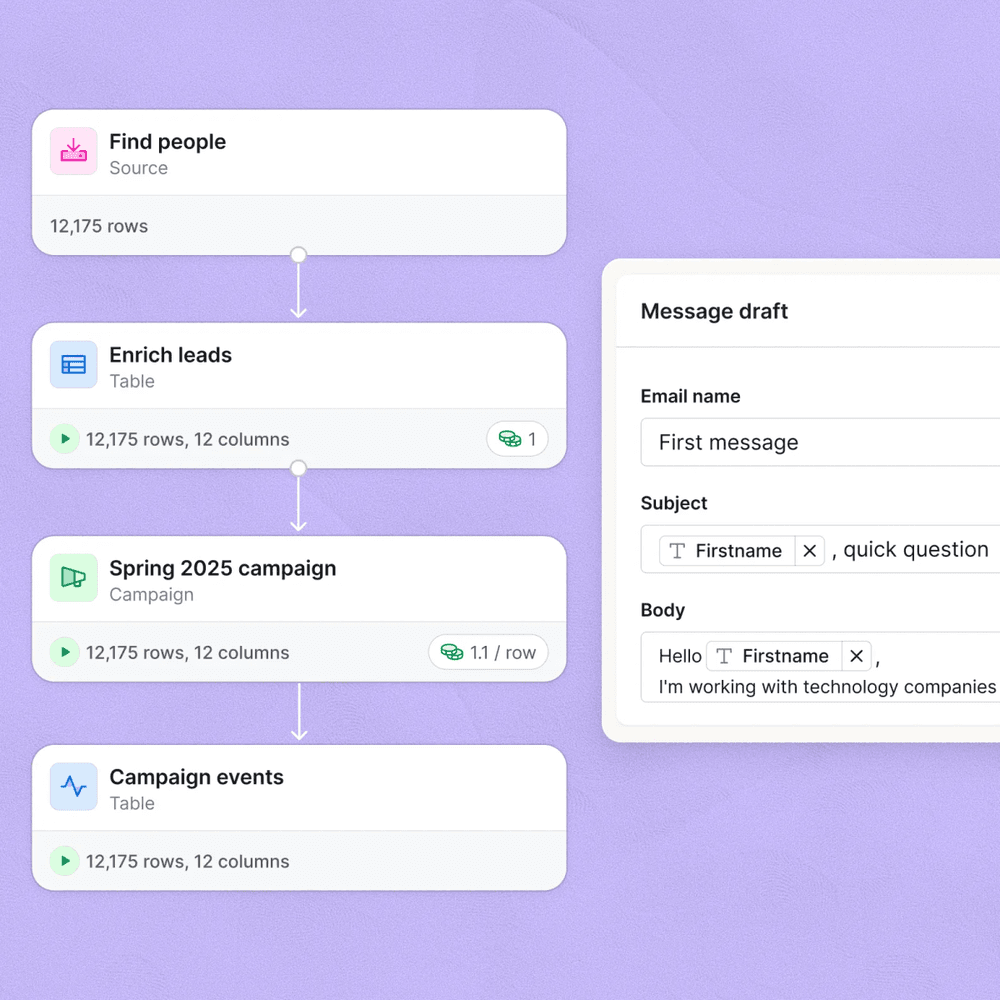
Clay doesn't have a native Make module in the traditional sense. The integration runs through webhooks: Clay fires a row-complete webhook and Make catches it, maps the enriched fields, then routes the record wherever it needs to go. This is fine in practice. The webhook payload from Clay is clean and predictable, and Make's JSON parsing handles it without custom functions. The pattern that works: Clay enriches, Make filters by ICP score or persona field, then branches to Smartlead for outbound or HubSpot for inbound nurture.
Highlights
- Webhook trigger captures enriched rows on table update
- Filter module routes by ICP tier, persona, or enrichment confidence
- Branch to Smartlead campaign or HubSpot sequence based on score
- Error path logs failed records to a Google Sheet for review
Pipedrive
Make's Pipedrive module is solid for deal-centric workflows. You can watch for deal stage changes, new deals, or person creation and use those as triggers. The most useful pattern here is a stage-change trigger that fires a Slack alert, logs a note to the deal timeline, and either creates a task in the next tool or pushes the contact into a re-engagement sequence. Pipedrive's API is well-documented and Make's module reflects it accurately. Custom fields are accessible, which is where most of the useful routing logic lives.
Highlights
- Trigger on deal stage, won, lost, or stalled statuses
- Read and write custom fields for routing logic
- Create activities and notes directly from scenario outputs
- Person and org lookup by email for deduplication before creating

Smartlead
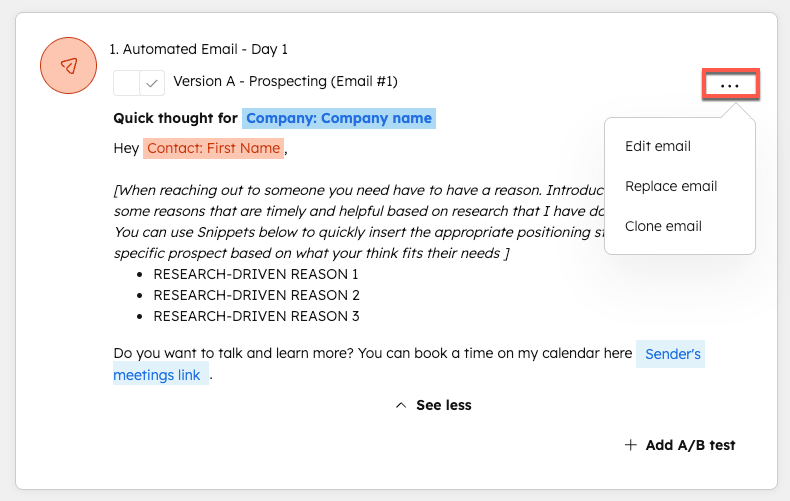
Smartlead has an HTTP-based API that Make calls directly using the HTTP module or a community connector. The workflow is straightforward: Make receives an enriched lead (from Clay, a form, or a CRM event), validates the email, and POSTs to the Smartlead campaign endpoint to add the lead with merge variables. You can also pull reply and bounce data back from Smartlead via webhook and write outcomes to HubSpot. The usual failure point is forgetting to map the lead variables correctly so the personalization fields arrive empty in Smartlead. Always log the raw payload before going live.
Highlights
- POST to campaign endpoint to add leads with custom variables
- Smartlead reply webhook triggers HubSpot contact update
- Bounce or unsubscribe events suppress contacts in CRM
- Supports multi-sender campaigns by routing leads to different campaign IDs
The Two Workflows I’d Build First
If you’re starting fresh with Make as the automation layer, don’t boil the ocean. Two scenarios pay back their build time fastest: the Clay-to-Smartlead push and the Smartlead-reply-to-HubSpot sync. Everything else is secondary until those two are running cleanly.
For more on the second pattern, the Make.com lead generation workflows post covers five scenario builds in detail, including the reply routing logic.
In Clay, add a webhook action to your table that fires when a row reaches 'enrichment complete' status. Paste the Make webhook URL from a new scenario. Test with one row before adding filter conditions.
In your Make scenario, after the webhook module, add a Filter module. Pass only records where the ICP score field meets your threshold (say, 7 or above out of 10). Rows below threshold route to a Google Sheet log, not to Smartlead.
Use Make's HTTP module to POST to the Smartlead /leads endpoint. Map firstName, lastName, email, and any custom variable fields from the Clay payload. Include the campaignId for the target campaign. Log the response status.
In Smartlead, set a reply webhook pointing back to a second Make scenario. That scenario looks up the contact in HubSpot by email, updates the lifecycle stage, and creates a task for the owning rep.
Set a third Make scenario triggered by Smartlead's bounce webhook. Look up the contact in HubSpot and set a custom 'email_bounced' property to true. This prevents re-enrollment in sequences and flags the contact for data cleanup.
The merge variable trap. The single most common failure when routing Clay rows into Smartlead via Make is shipping leads with empty personalization fields. Clay’s webhook payload uses the column header as the key. If your Smartlead campaign expects firstName but Clay sends First Name (with a space), the field arrives blank. Every lead goes out with a literal empty field instead of a name. Check the raw JSON in Make’s execution log against Smartlead’s expected variable names before activating the scenario. Per the Smartlead API docs, variable names must match exactly.
// Clay webhook payload (raw)
{
  "First Name": "Sarah",
  "Last Name": "Chen",
  "Email": "sarah@example.com",
  "ICP Score": 8
}

// Make HTTP module body (corrected mapping)
{
  "firstName": "{{1.`First Name`}}",
  "lastName": "{{1.`Last Name`}}",
  "email": "{{1.Email}}",
  "campaignId": "4821"
}
How the Connectors Stack Up by Use Case
If you’re deciding which Make integration to prioritize based on what your team actually needs right now, here’s how I’d frame it.
Which Make Integration to Build First
Choose HubSpot + Make if
- HubSpot is your system of record and you need every tool writing back to it
- You want deal stage changes to trigger downstream actions in other tools
- You're managing lifecycle stages and need cross-tool suppression logic
Choose Clay + Make if
- You're doing enrichment-driven outbound and need enriched rows to flow into campaigns automatically
- You want to filter by ICP score before any lead touches a sequence
- Your team is already using Clay tables and just needs the push mechanism
Choose Pipedrive + Make if
- Pipedrive is your CRM and deal stages drive your outreach logic
- You want rep alerts and task creation tied to pipeline movement
- You need a lightweight CRM without HubSpot's complexity
Choose Smartlead + Make if
- Cold email is your primary outbound channel and you need leads flowing in automatically
- You want reply and bounce events to update your CRM without manual logging
- You're running multi-sender infrastructure and need campaign routing logic
What Make Still Can’t Do Well
Being honest about limits matters. Make’s scenario execution is asynchronous, which means it’s the wrong layer for anything requiring a sub-second response, like live chat routing or real-time lead scoring during a form submission. For those cases, native HubSpot workflows or n8n with a self-hosted instance give you more control over latency. The HubSpot workflows to n8n migration playbook is worth reading if you’re hitting execution timing issues with Make specifically.
Make also lacks a native Apollo module as of mid-2026. Anything Apollo-adjacent runs through HTTP calls to their API. Manageable, but significantly more setup than the HubSpot or Pipedrive connectors require. If Apollo is central to your stack, I’d factor that build time into your decision.
For teams running cold email at scale, pairing Make with Smartlead and Pipedrive covers the outbound handoff cleanly. The best cold email stack under $300 post maps out what that full stack looks like with the cost breakdown alongside the tooling decisions.
The Integration Stack Worth Your Time
Make works best as the connective tissue between tools that each do one thing well. For GTM teams, that means HubSpot as the record layer, Clay doing enrichment, Smartlead running outbound, and Pipedrive or HubSpot tracking pipeline movement. Make scenarios wire those tools together without a developer, and the native modules for HubSpot and Pipedrive are mature enough to trust in production. The Clay and Smartlead integrations require more manual mapping work, but the patterns are repeatable once you’ve built them once. Start with the Clay-to-Smartlead push, get the reply webhook writing back to HubSpot, and you’ve covered the highest-value handoffs in a typical outbound GTM motion.
Sources
Frequently asked questions
Does Make integrate with HubSpot natively?
Yes. Make has a native HubSpot module covering contacts, companies, deals, and custom objects. No webhook workarounds needed for standard CRM operations.
Can Make connect Clay to Smartlead automatically?
Yes. You can build a Make scenario that watches a Clay table via webhook, enriches the row, then pushes qualified leads directly into a Smartlead campaign using the Smartlead API module.
Is Make better than Zapier for GTM workflows?
Make handles multi-step, branching workflows with better error visibility and lower cost per operation, which matters for high-volume GTM sequences. Zapier wins on setup speed for simple two-step zaps.
What does Make cost for a typical GTM automation stack?
Most small GTM teams run comfortably on the Core plan at $10.59 per month for 10,000 operations, scaling to Pro at $18.82 per month for 40,000 operations when volume picks up.
Does Make have a Pipedrive integration?
Yes. Make's native Pipedrive module supports deals, persons, organizations, activities, and custom fields, making it straightforward to sync pipeline stages with downstream tools.