GuidesTool vs tool
Surfe vs Clay for CRM Automation: Which Enrichment Path Wins
Surfe and Clay solve different enrichment problems. This comparison breaks down which tool fits your CRM automation workflow in 2026.

The tools compared
Entry prices from the pricing index, read Aug 12, 2026
Some links on this page are affiliate links. If you buy through them we may earn a commission at no cost to you; it never changes a verdict. How we make money
The short answer
Surfe wins for real-time LinkedIn-to-CRM sync; Clay wins for high-volume waterfall enrichment and multi-source prospecting workflows.
Most RevOps comparisons between Surfe and Clay frame them as rivals. They are not, exactly. They sit at different points in the same enrichment pipeline, and conflating them is how teams end up paying twice for overlapping coverage or leaving a gap between LinkedIn activity and CRM data quality. The real question is not which tool is better in the abstract. It is which problem you are solving first: capturing contact data at the moment of outreach, or enriching a bulk list with multi-source firmographic and intent signals.
What each tool actually does inside a CRM workflow
The clearest way to separate these tools is by where they live in your data pipeline. Surfe operates at the top of the funnel, at the moment an SDR is on a LinkedIn profile deciding whether to add someone to a sequence. It surfaces a sidebar overlay that reads CRM fields, lets the rep update them without leaving LinkedIn, and pushes the record back to HubSpot or Salesforce in real time. No CSV. No manual copy-paste. No duplicate contact risk from a stale export.
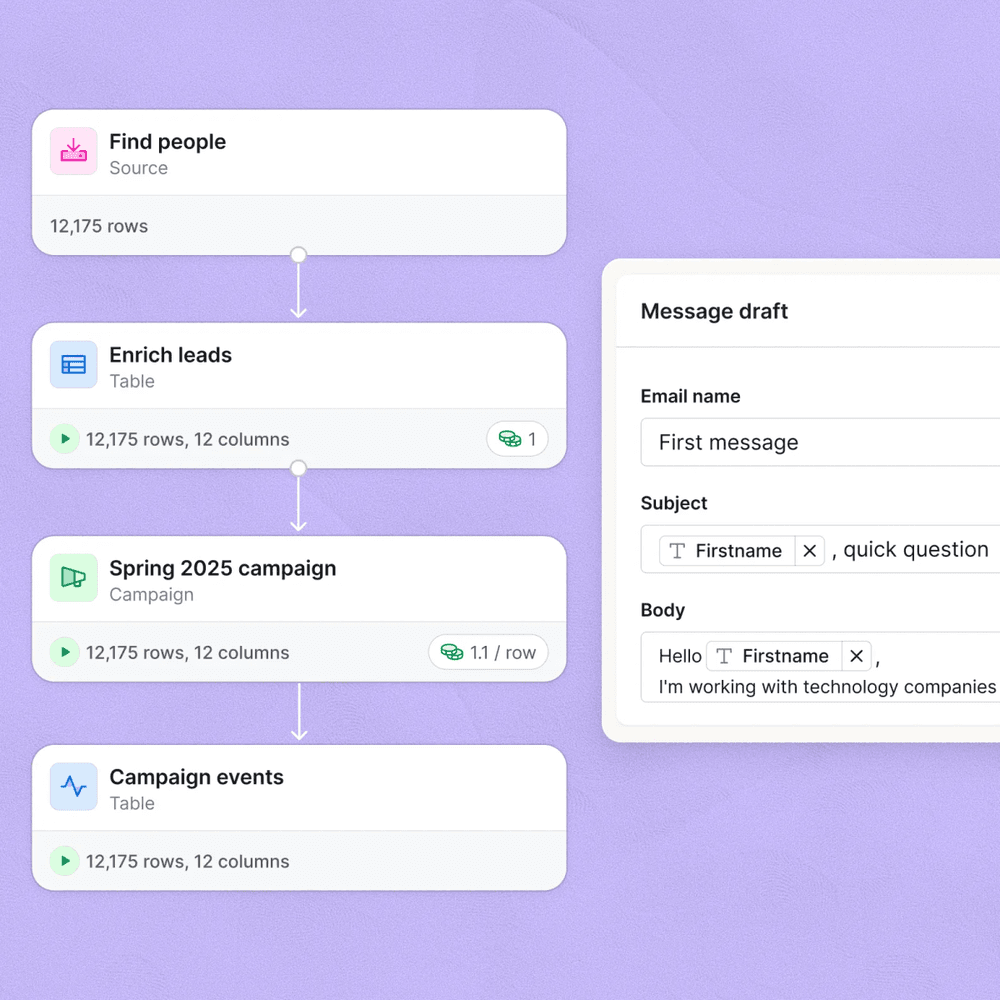
Clay operates further downstream, or in a completely separate enrichment workflow. You bring a list (CSV, CRM export, Salesforce report, webhook from a form fill) and Clay runs it through a waterfall: check Apollo for email, fall back to Hunter, fall back to Findymail, check LinkedIn for job title freshness, pull Crunchbase for funding round, score against an ICP filter, then push the enriched record back to your CRM via native integration or HTTP action. The value is coverage depth and automation logic, not point-of-sale data capture. I broke down how Clay’s waterfall tables work alongside similar no-code patterns if you want more detail on the enrichment mechanics.
Where it lives
Enrichment depth
Speed to CRM
Setup complexity
Cost predictability
SDR adoption friction
How to choose
The first thing I would check is where your CRM data actually breaks down. If your Salesforce or HubSpot contacts are missing basic fields because SDRs are adding people manually from LinkedIn without filling in company, title, or LinkedIn URL, that is a Surfe problem. The tool fixes the capture layer. If your contacts exist but are enriched with stale or incomplete data (wrong emails, missing phone, no firmographic context), that is a Clay problem. The tool fixes the enrichment layer. Don’t try to solve a capture problem with a waterfall tool. The records will look great and nobody will care, because the SDR workflow never changed.
Budget is the second filter. Clay’s credit model means costs scale with volume and provider hits, and teams regularly burn through Explorer credits faster than expected when they add multiple waterfall steps per row. Surfe’s per-seat model is easier to forecast and does not punish you for enriching the same contact twice. My read is that early-stage GTM teams (under 20 reps, under 5,000 contacts enriched per month) get more immediate lift from Surfe because the SDR workflow improvement shows up in the first week. Clay’s ROI compounds over time as you build more sophisticated enrichment tables and scoring models, which requires a RevOps owner or a technically fluent operator to maintain.
Worth flagging: Surfe has been building out its own enrichment capabilities, including waterfall email finding, which puts it in partial competition with Fullenrich and lighter Clay use cases. The comparison between Surfe and Fullenrich on waterfall coverage is worth reading if email find rate is your deciding variable.
Which tool fits your situation?
Choose Surfe if

- Your SDRs live on LinkedIn and CRM data entry is the bottleneck
- You need real-time two-way sync between LinkedIn and HubSpot, Salesforce, or Pipedrive
- You want predictable per-seat pricing without a credit model
Choose Clay if

- You are enriching bulk lists (500 to 50,000+ contacts) with multi-source data
- You need waterfall logic across Apollo, Hunter, Clearbit, LinkedIn, and others in one workflow
- You have a RevOps owner who can build and maintain enrichment table logic
The enrichment stack that actually holds together
Most mature GTM teams end up running both. Surfe handles point-of-contact capture; Clay handles async enrichment jobs triggered on new contact creation or on a schedule. Per Salesforce’s State of Sales research, reps spend an estimated 28 percent of their week on data entry and administrative tasks. That is exactly the workflow Surfe is designed to compress, and it is a real number worth anchoring your internal ROI case to.
The G2 reviews for Clay consistently flag the learning curve and surprise credit costs at scale. That tracks with the product’s architecture: waterfall tables with multiple provider steps per row add up quickly, especially if you are enriching contacts with five or six fields each. The Surfe Help Center confirms the two-way sync works at the field level, not just record creation. That distinction matters if you want CRM updates to flow back into LinkedIn context as your reps work.
I’d argue the tools are not the same product wearing different labels, and treating them as interchangeable is the most common failure mode in enrichment stack design. Choose based on where your pipeline leaks first. Contacts missing from your CRM because of manual entry friction: start with Surfe. CRM populated but outbound lists have poor email coverage or stale titles: start with Clay. Both problems will eventually coexist, but solving the wrong one first is an expensive detour.
Sources
Frequently asked questions
Can Surfe and Clay be used together?
Yes. A common pattern is using Surfe to capture LinkedIn contacts into your CRM, then triggering a Clay enrichment table via webhook or Zapier to fill in firmographic and intent data.
Is Clay better than Surfe for CRM enrichment?
Clay is better for bulk waterfall enrichment across multiple data providers. Surfe is better for real-time LinkedIn-to-CRM data capture at the point of prospecting.
Does Surfe write directly to HubSpot and Salesforce?
Yes. Surfe has native two-way sync with HubSpot, Salesforce, Pipedrive, and other major CRMs, writing contact and company fields directly from LinkedIn.
What is waterfall enrichment and does Surfe do it?
Waterfall enrichment means querying multiple data providers in sequence until a field is filled. Clay does this natively; Surfe does not offer waterfall logic.
How much does Clay cost compared to Surfe?
Clay starts at around $149 per month on the Explorer plan; Surfe starts at $23 per user per month on the Essential plan, though pricing changes frequently.