GuidesReview
Leadpages Review 2026: Best Landing Page Builder for B2B?
Leadpages review for B2B lead gen in 2026. We cover pricing, integrations with HubSpot, Kit, and Beehiiv, and when to use it vs. alternatives.

The tools compared
Entry prices from the pricing index, read Aug 12, 2026
Some links on this page are affiliate links. If you buy through them we may earn a commission at no cost to you; it never changes a verdict. How we make money
The short answer
Leadpages is the fastest path to a converting B2B landing page if you are running lead magnets or newsletter opt-ins, but it loses ground to HubSpot native pages once your CRM workflows get complex.
Most B2B teams reach for Leadpages the first time they need a standalone lead magnet page without waiting two weeks for engineering. That instinct is usually right. The builder is genuinely fast, the template quality is solid, and the pricing sits well below what HubSpot charges for comparable native pages. But “fastest to publish” and “best for your GTM stack in 2026” are different questions, and the gap between them matters once you start wiring landing pages into CRM workflows, newsletter sequences, and attribution reporting.
What Leadpages actually does well in a B2B stack
Leadpages is a dedicated landing page and opt-in builder. It is not a CRM, not a sequencer, and not an analytics platform. Once you accept that boundary, its value becomes clear: it removes every reason to delay publishing a page.
The drag-and-drop builder is low-friction in a way that actually holds up under pressure. You pick a template, swap copy, drop in a HubSpot or Kit form block, set a redirect URL, and publish to a custom domain in under an hour. For content-led GTM motions where a new lead magnet goes live every two to three weeks, that speed compounds. The conversion-optimized templates also reflect real testing patterns: above-the-fold CTA, social proof section, single opt-in form, no nav bar. These are not accidents, they are defaults that most marketing teams would otherwise debate for three Slack threads.
Where I’d argue Leadpages earns its keep most clearly is in the newsletter-first stack. If you are running Beehiiv or Kit as your primary relationship layer, Leadpages handles the top-of-funnel capture page cleanly. Wire submissions downstream via the native Kit integration or a Zapier webhook to Beehiiv. My read is that this pairing cuts time-to-published from a typical multi-day CMS workflow to same-day, which matters when you are running time-sensitive lead gen around events or content drops. For more on how Kit fits into that flow, the connect Zoom to Kit webinar subscriber tagging automation post covers the downstream tagging logic worth adding.
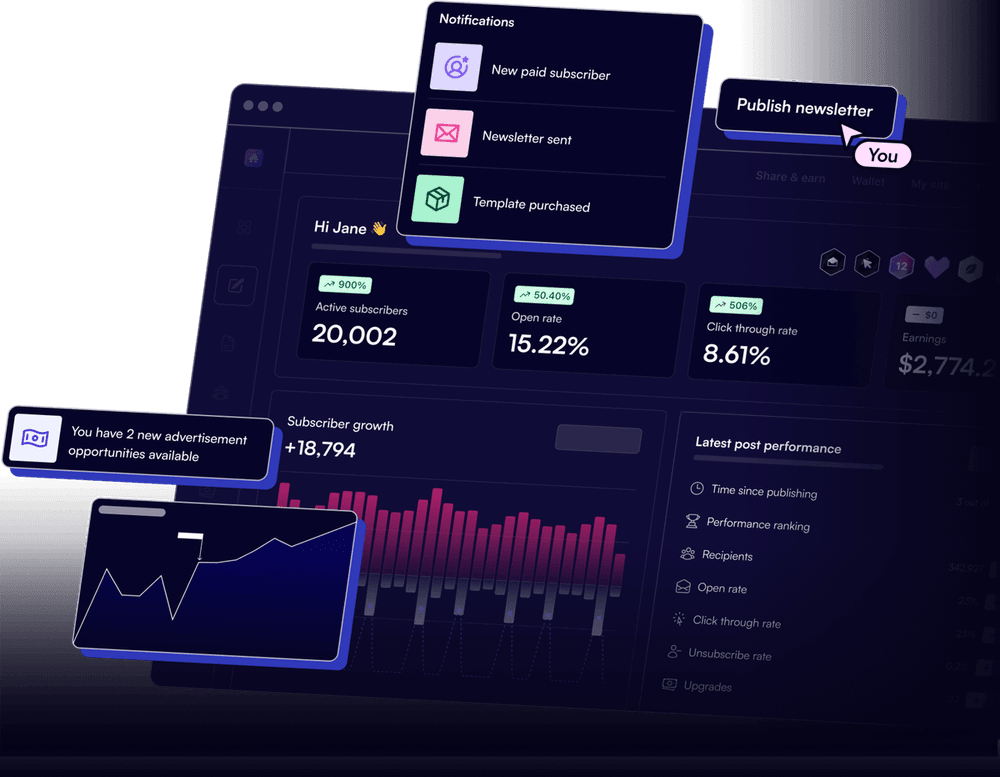
The A/B testing on the Pro plan is legitimate, not a checkbox feature. You can split test full page variants, not just headlines. That is more useful than most ESP-level subject line tests. G2 reviewers report that the conversion analytics are readable by non-technical marketers, which matters when RevOps is not the one watching the dashboard daily.
Where Leadpages falls short for RevOps-driven B2B teams
The integration story has a ceiling. HubSpot’s native integration pushes form submissions into contact records and can trigger a workflow, but it does not pull deal stage data back to Leadpages for personalization. There is no bidirectional sync. If you need page variants that react to CRM data, you are outside Leadpages’ scope entirely. Don’t bother trying to patch this with custom HTML embeds; it creates maintenance debt faster than it solves anything.
Lead routing is fully absent. Leadpages captures the submission and fires it wherever you point it. Any round-robin assignment, territory routing, or SLA-based owner assignment happens in your CRM or a middleware tool like n8n or Zapier. Teams that skip building that layer and assume HubSpot will sort it out usually end up with unowned contacts sitting in a “Leadpages submissions” list for weeks.
Attribution is the other gap, and it is a real one. Leadpages has basic conversion tracking and UTM pass-through, but multi-touch attribution across page visits, content downloads, and pipeline stages requires a proper analytics layer. Per HubSpot’s marketing analytics documentation, their native attribution models only work reliably when form submissions happen on HubSpot-hosted pages. Leadpages submissions that push via API can miss touchpoint stitching depending on cookie matching and session continuity. That is not a Leadpages bug exactly, it is just physics: data captured outside HubSpot does not get the same session context as data captured inside it.
How to choose between Leadpages and HubSpot native pages
The honest answer: this is a cost-versus-depth tradeoff, not a quality question.
HubSpot native landing pages live inside the same data model as your contacts, deals, workflows, and reporting. Every form submission is already a CRM event. Attribution works. Smart content personalization works against list membership. If your team is already paying for HubSpot Marketing Hub Professional or Enterprise, I would use native pages by default and only reach for Leadpages if you need something published faster than your HubSpot instance allows.
Pre-HubSpot or running a leaner stack? Leadpages at $37 to $74 a month is a rational standalone layer. The email tool pricing comparisons I’ve covered follow the same pattern: native wins on depth, specialist wins on speed and price. Pick based on where your GTM motion actually is, not where you hope it will be in 18 months.
Which landing page approach fits your stack?
Choose Leadpages if

- You are running a newsletter-first or content-led GTM motion and need pages live fast
- Your CRM is HubSpot but you are not on Marketing Hub Pro or above
- You want standalone A/B testing without buying into a full marketing suite
Choose HubSpot Landing Pages if

- You are already on HubSpot Marketing Hub Professional or Enterprise
- Multi-touch attribution and workflow triggering from form submission is non-negotiable
- You need smart content personalization based on CRM properties
Choose Beehiiv Opt-in Pages if

- Your GTM motion is entirely newsletter-driven and subscribers are the primary metric
- You want a single platform for both the opt-in page and the send
- You do not need standalone A/B testing or complex third-party CRM routing
The bottom line on Leadpages in 2026
Leadpages still earns its place in the B2B toolkit. Specifically, it is the fastest and most affordable way to stand up conversion-optimized landing pages before you have a full HubSpot Marketing Hub license or engineering bandwidth. For teams running Kit or Beehiiv as their primary audience layer, it slots in cleanly as the opt-in front end. For teams where attribution fidelity and CRM workflow depth are already the standard, HubSpot native pages will cost more and frustrate less over time. The key is knowing which phase your GTM motion is in before committing.
Sources
Frequently asked questions
Is Leadpages good for B2B lead generation?
Yes, for straightforward lead magnet and webinar registration pages. It struggles when you need deep CRM branching or multi-touch attribution natively built in.
Does Leadpages integrate with HubSpot?
Leadpages has a native HubSpot integration that pushes form submissions into HubSpot contact records and can trigger workflows, but it does not sync bidirectionally.
How much does Leadpages cost in 2026?
Leadpages starts at $37/month (Standard, billed annually) and goes to $74/month for Pro, which includes A/B testing and three sites.
Can I use Leadpages with Kit or Beehiiv?
Yes. Leadpages connects to Kit natively and to Beehiiv via Zapier or webhook, making it a common opt-in layer for newsletter-first GTM stacks.
What is the main limitation of Leadpages for RevOps teams?
Leadpages has no built-in lead scoring, CRM deal creation, or native sequence triggering, so it always needs a middleware layer for anything past form capture.