GuidesOutbound
Warmly + Make: Signal-Based Outbound Workflow Guide
How to wire Warmly visitor signals into Make automations that enrich leads in Clay and trigger sequences in HubSpot. A hands-on RevOps playbook.

The tools compared
Entry prices from the pricing index, read Aug 12, 2026
Some links on this page are affiliate links. If you buy through them we may earn a commission at no cost to you; it never changes a verdict. How we make money
The short answer
Connect Warmly webhooks to Make, enrich identified visitors in Clay, and auto-enroll them in HubSpot sequences based on intent tier for a fully automated signal-to-sequence outbound engine.
Most outbound teams are still working off static lists pulled weekly from Apollo or ZoomInfo, blasting sequences at leads who went cold days ago. The teams actually building pipeline right now do the opposite. They trigger outreach the moment a high-fit account lands on the pricing page, at exactly the moment that person is thinking about the problem you solve. That is signal-based outbound. And Warmly plus Make is one of the cleanest implementations I have seen hold up in production.
Signal-based outbound is not about personalization at scale. It is about timing. The same message sent two minutes after a pricing-page visit converts at a materially different rate than the same message sent two weeks later.
The Stack and Why It Works
The core idea is simple. Warmly identifies a visitor, fires a webhook to Make, Make enriches and routes the lead, and HubSpot enrolls them in the right sequence automatically. No rep manually checking a dashboard. No lead slipping through a 48-hour window.
Here is why this combination outperforms Warmly’s native automations alone. Warmly’s built-in playbooks are solid for Slack alerts and basic CRM writes. They do not give you multi-step conditional logic for ICP filtering, deduplication, and enrichment branching. Make fills that orchestration gap. Clay fills the data quality gap, running waterfall enrichment across Apollo, LinkedIn, and Clearbit in a single HTTP call from Make. The result is a visitor signal that arrives in HubSpot as a fully enriched, correctly routed contact ready for sequence enrollment, not just a company name and a URL.
I have built this stack for teams at Homegrown Growth Co. The first time it fires correctly in production is genuinely satisfying. A VP of Engineering visits your integration page, Warmly fires within seconds, Make routes them to a Clay table, Clay appends their mobile number and confirms they are in a 200-500 person ICP company, and HubSpot enrolls them in the technical sequence before the rep has finished their coffee.
Building the Workflow Step by Step
In Warmly, go to Settings > Integrations > Webhooks and add a new outbound webhook. Set the trigger to 'Visitor Identified' and optionally filter by minimum page depth or specific URL paths (pricing, demo, integrations). Copy the payload schema: you will need the fields visitor_email, company_domain, company_name, page_url, and session_count in Make. Point the webhook URL at a Make webhook trigger module, you will get that URL in the next step.
In Make, create a new scenario and add a 'Webhooks > Custom webhook' trigger module. Copy the generated URL back into Warmly. Fire a test visit on your own site to capture the payload shape. Make will auto-map the fields from the JSON. Now add a Router module with two branches: one for contacts where visitor_email is present (identified person), and one where only company_domain is present (identified account only). The enrichment path differs for each.
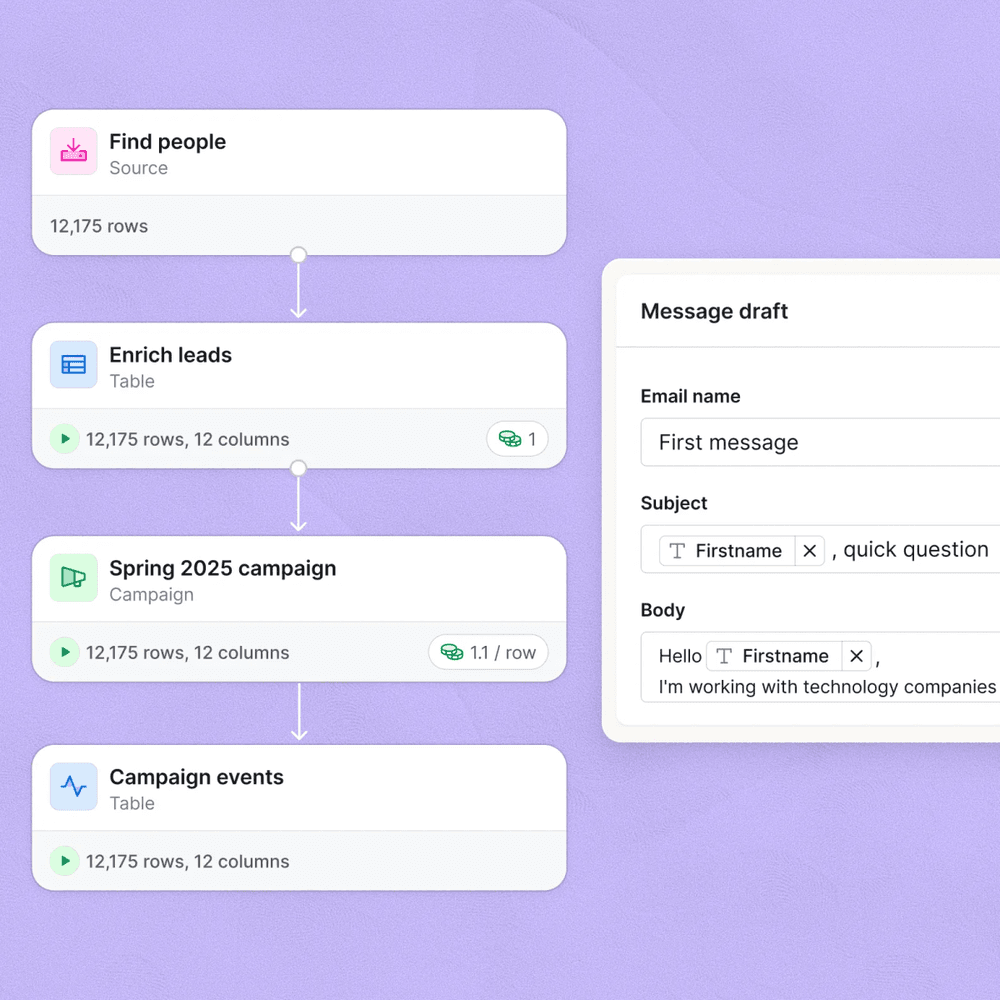
For the identified-person branch, call Clay's API using an HTTP module in Make. Send visitor_email and company_domain as the lookup keys to a pre-built Clay table configured with your waterfall stack (Apollo first, then Clearbit, then LinkedIn scrape as fallback). Clay returns job title, seniority, mobile phone, LinkedIn URL, company headcount, and funding stage. For the account-only branch, use Clearbit Reveal or Apollo's company endpoint to pull the best contact match at that domain before passing to Clay for person-level enrichment. The Clay enrichment waterfall approach is similar to what we use in [Apollo-to-n8n pipelines](/blog/2026-08-09-connect-apollo-to-n8n-automate-lead-pulls-enrichment-and-crm/).
Add a Filter module in Make after Clay enrichment. Check: (1) company headcount between your ICP range, (2) job title contains target persona keywords, (3) no existing HubSpot contact property warmly_enrolled equals true, and (4) visitor_email domain not in your suppression list. Assign an intent tier: Tier 1 is pricing or demo page with 2+ sessions; Tier 2 is feature or integrations pages; Tier 3 is blog or generic. This tier determines which HubSpot sequence gets triggered in the next step.
Use Make's HubSpot module to upsert the contact (create or update by email). Set the custom property warmly_signal_page to the triggering URL, warmly_intent_tier to your tier value, and warmly_enrolled to true. Then use a second HubSpot module to enroll the contact in the correct sequence by sequence ID (hardcode the IDs per tier in Make's scenario variables). Finally, use a Slack module to post a real-time alert to your sales channel: company name, visitor name if identified, page visited, and a direct HubSpot contact link.
The trap I see most often: teams enrich in Clay but forget to map the output field names back into Make correctly. Clay returns column names as defined in your table, not as standard JSON keys. If your Clay table calls the field “Work Email Verified” with spaces, Make will receive it with underscores or fail silently depending on your HTTP response mapping. Build your Clay table with clean snake_case column names from day one or you will spend two hours debugging a mapping issue that looks like an enrichment failure.
// Clay API response - name your columns cleanly
{
  "email_verified": "ian@example.com",
  "job_title": "VP of Engineering",
  "seniority": "vp",
  "company_headcount": "250",
  "mobile_phone": "+14155550123",
  "linkedin_url": "https://linkedin.com/in/example",
  "funding_stage": "Series B"
}

// Make HTTP module: map each key explicitly
// Do NOT rely on auto-mapping for Clay responses
// Set "Parse response" to Yes and reference
// {{1.email_verified}} not {{1.`Work Email Verified`}}
Choosing Your Sequencing Layer
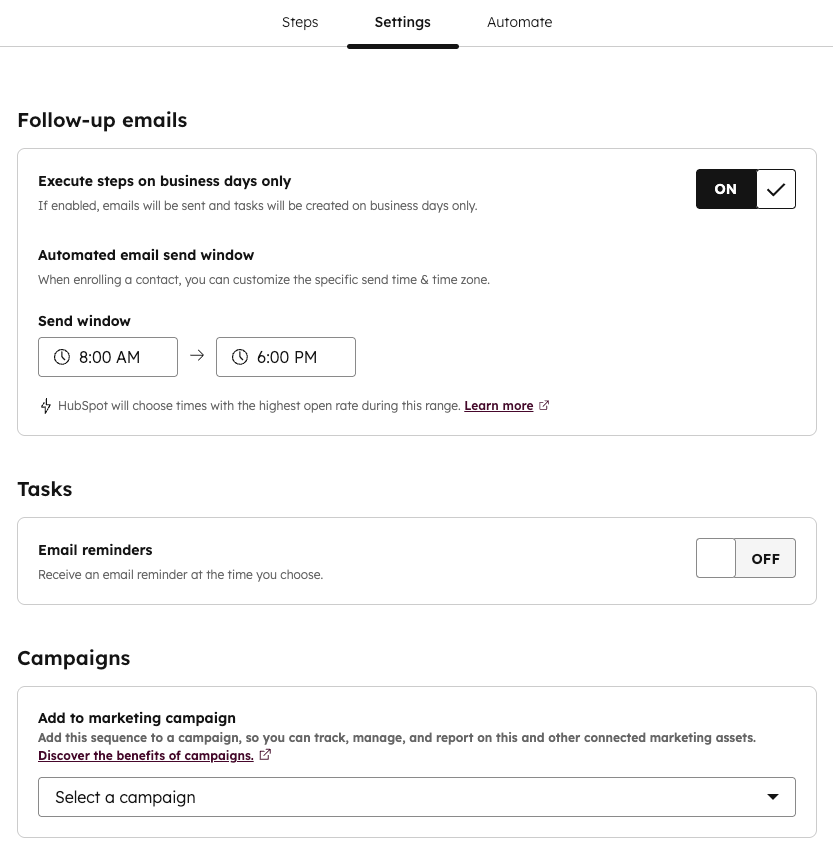
The workflow above writes to HubSpot sequences. Depending on your stack, you might route elsewhere. Here is how I think about the sequencing layer choice for this specific workflow. Skip Outreach and Salesloft unless your team is already fully committed to them, the HubSpot native modules in Make are cleaner and you will spend far less time mapping fields.
Which sequencing tool fits this workflow?
Choose HubSpot Sequences if

- Your CRM is already HubSpot and reps live in it daily
- You need native contact enrollment with CRM property writes in the same step
- You want reply detection that auto-pauses the sequence without extra config
Choose Smartlead if

- You are sending high volume and need multi-inbox rotation to protect deliverability
- Your team runs outbound outside HubSpot and syncs replies back via webhook
- You want per-mailbox warm-up managed automatically
Choose Lemlist if

- Your sequences include LinkedIn steps, video, or dynamic image personalization
- You want built-in multichannel cadences without stitching separate tools
- Signal-triggered outreach will mix email and LinkedIn DM in the same sequence
What This Workflow Actually Produces
Once this is running, you get three things a manual or batch-based process cannot replicate. First, timing advantage: the average rep responds to a high-intent signal in somewhere between 30 minutes and 2 hours according to InsideSales research, while this workflow responds in under 60 seconds. Second, data quality: because Clay runs enrichment at trigger time rather than at list-pull time, the contact data is current, not 30 days stale. Third, rep focus: instead of triaging a Warmly Slack channel full of alerts, reps see contacts already in their HubSpot sequences with full context on what page was visited and why the outreach fired.
For teams thinking about building a broader signal-based lead scoring system on top of HubSpot, this workflow pairs naturally with Trigify or similar intent enrichment layers feeding the same score object.
The one thing I would not skip is the deduplication filter. Without the warmly_enrolled property check, a prospect who visits your pricing page three times in a week gets enrolled three times. I have seen this happen in practice. It is the fastest way to get your domain flagged and your sales team embarrassed.
Ship It This Week
The tools are mature. The webhook infrastructure is reliable. Warmly’s de-anonymization layer combined with Clay’s enrichment waterfall gets you to sequence-ready in under five minutes per visitor. Make is the right orchestration layer here because it gives you visual debugging, native HubSpot modules, and enough conditional logic to handle routing without writing a line of custom code.
Don’t overthink the rollout. Build the simple version today. Measure reply rates against your baseline batch sequences for 30 days. The data will make the case better than any planning doc.
Sources
Frequently asked questions
Can Warmly trigger Make automations automatically?
Yes. Warmly supports outbound webhooks that fire when a visitor is identified, letting Make catch the payload and route it through enrichment and sequencing logic.
Do I need Clay to use Warmly with Make?
Not strictly, but Clay handles waterfall enrichment far better than any single API call. Most teams I work with use Clay between Warmly and HubSpot to fill gaps in job title, phone, and buying committee data.
What signals does Warmly capture for outbound?
Warmly de-anonymizes website visitors by matching IP and cookie data to company and contact records, surfacing page visits, session depth, and repeat visit frequency as intent signals.
How do I avoid enrolling the same lead twice in HubSpot?
Add a Make filter that checks for a custom HubSpot contact property like warmly_enrolled set to true before the sequence enrollment step. Set that property on write-back.
What is the typical implementation time for this workflow?
A clean implementation with existing HubSpot sequences takes about two to four hours. Most of that time goes into testing webhook payloads and mapping Clay output fields.