Beehiiv Not Converting Revenue: 3 Fixes That Work
 By Ian Chamberland 10 min read
 TL;DR
Beehiiv not converting revenue usually comes down to three fixable problems: flat segmentation, broken automation triggers, and no external CRM or email tool sync to capture buyer intent signals.
On this page
Most Beehiiv newsletters I audit are not failing because the content is bad. They are failing because the plumbing between reader behavior and revenue-generating actions is either missing or wired wrong. You get opens, you get clicks, and then the signal dies. No follow-up, no segment shift, no handoff to a tool that can actually close. This post diagnoses the three specific places that breakdown happens and gives you the exact fixes, including where tools like Kit, n8n, and a proper CRM slot into the stack.
Your Beehiiv list is a demand-capture machine that most operators are running as a broadcast channel. The revenue gap is a routing problem, not a content problem.
Fix 1: Stop Treating Your List as One Segment
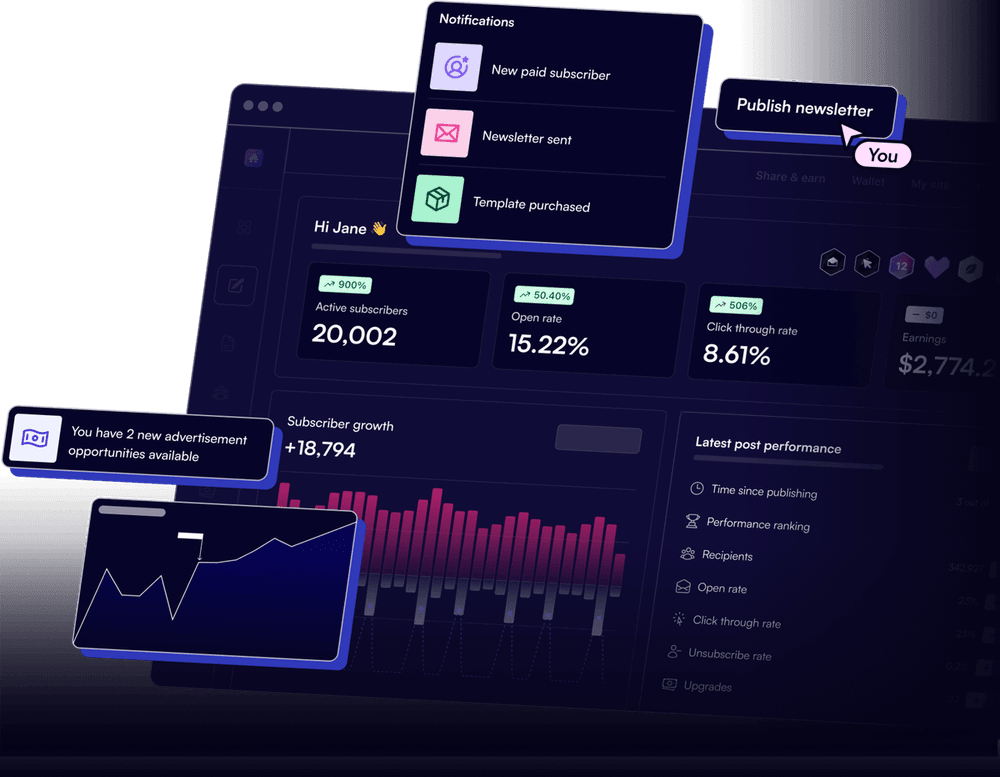
This is where I see the most money left on the table. Operators build a Beehiiv list to 5,000 or 10,000 subscribers, see a 35% open rate, and feel good about it. Open rate on an undifferentiated list tells you almost nothing actionable. It is a vanity number dressed up as a health metric.
Beehiiv gives you the raw materials for real segmentation: custom subscriber fields, referral counts, engagement tiers (active vs. cold), and tag-based groupings. Almost nobody wires these into separate content tracks or offer sequences. Everyone gets the same issue, the same CTA, the same upgrade prompt. That is not a newsletter strategy. That is a broadcast.
Build at least three behavioral segments before your next send:
Highly engaged (opened 4 of last 5): These are your buyers. Put them on a separate automation track that introduces paid offers, affiliate products, or premium tier upsells. Do not mix them into your general newsletter send.
Mid-tier (opened 2-3 of last 5): Nurture with value-dense content. No hard offers yet. Your goal is moving them into the engaged bucket, not burning them with a pitch they are not ready for.
Cold (0-1 opens in last 5): These people are actively draining your deliverability. Run a re-engagement sequence, then prune. Beehiiv’s automation builder lets you trigger a sequence based on inactivity. Most operators never touch this setting.
The segmentation setup takes about two hours inside Beehiiv. The revenue impact is immediate because you stop promoting to cold subscribers (which tanks deliverability) and concentrate offers on the people most likely to act. If you want more on the deliverability side of this, Litmus published solid benchmark data on what segmented sends actually do to revenue per email.
Fix 2: Plug the Automation Dead Zones
Beehiiv’s native automation is genuinely useful for post-subscribe welcome sequences and content drips. I have no complaints there. But it has two dead zones that kill revenue for anyone trying to run a content-led GTM motion.
Dead Zone 1: No trigger on specific link clicks. Beehiiv automations fire on subscribe, upgrade, and time delays. They do not fire when a subscriber clicks a specific link inside a post. When someone clicks your “book a call” link or your pricing page inside an issue, nothing happens. No tag applied, no sequence enrolled, no CRM update. The signal disappears.
Dead Zone 2: No conditional branching on purchase behavior. If you sell a paid newsletter tier or a course, Beehiiv does not let you route free-to-paid converts into a fundamentally different experience based on what they bought. You can add a tag, but the automation logic is linear, not conditional. For operators selling multiple tiers or product bundles, this is a serious limitation.
The fix for Dead Zone 1 is Beehiiv webhooks. Under Settings, Beehiiv lets you push events (subscribe, unsubscribe, post click, custom subscription) to an external URL. Point that webhook at n8n and you get a real-time feed of every click event. From there you filter by URL, check the subscriber’s existing tags, then either enroll them in a sales sequence, create a CRM contact, or fire a Slack alert to your sales rep.
For Dead Zone 2, build the conditional logic outside Beehiiv entirely. Webhook fires on upgrade event, n8n checks which tier they purchased, routes them to the appropriate onboarding sequence in Kit or ActiveCampaign. More infrastructure than most newsletter operators want to run, sure. But if you are selling anything above $50 per month, it pays for itself in the first week.
If you want a detailed look at how Beehiiv’s native automation builder works before adding external middleware, the Beehiiv automations guide covers every trigger and action available inside the platform.
The trap: Assuming Beehiiv automations cover your full funnel. They cover nurture. They do not cover intent routing. If you only use Beehiiv’s native tools, every high-intent click from a buying-signal link just disappears. I have seen operators sit on a list of 2,000 engaged readers for six months, pulling 40% open rates, and wonder why their paid tier has 12 subscribers. The automation gap is almost always why.
// n8n webhook payload from Beehiiv click event
{
  "event": "post.clicked",
  "subscriber": {
    "email": "reader@example.com",
    "id": "sub_abc123",
    "tier": "free",
    "tags": ["engaged", "b2b"]
  },
  "post": {
    "id": "post_xyz789",
    "title": "Issue 42"
  },
  "clicked_url": "https://yoursite.com/pricing"
}
Route this into an IF node: if clicked_url contains /pricing, create HubSpot contact and enroll in sales sequence.
Fix 3: Build the Kit or n8n Sync You Are Missing
This is the fix most Beehiiv operators resist because it feels like extra infrastructure. It is not optional if you are serious about monetization. Resist the resistance.
Beehiiv is great at delivering content and collecting subscribers. It is not a CRM. It does not score leads. It does not enroll people in multi-channel sequences. It does not sync revenue data back to a contact record. That is fine because other tools do those things better. But if you are not syncing Beehiiv subscriber data to a tool that can act on it, you are running a newsletter, not a revenue channel. There is a real difference.
The two setups I recommend, depending on your stack:
If your goal is nurture-to-sale with email sequences: Sync Beehiiv to Kit via n8n. On subscribe webhook, create a Kit subscriber with the same tags. On click webhook filtered for high-intent URLs, add a hot-lead tag in Kit and trigger a Kit automation that sends a sales-focused sequence. Kit’s conditional automation logic is meaningfully more powerful than Beehiiv’s for branching offer flows. I covered this stack in depth when looking at Kit automation workflows for B2B teams.
If your goal is pipeline creation: Sync Beehiiv directly to HubSpot or Pipedrive via n8n. On the click webhook for a pricing or demo link, n8n checks whether a HubSpot contact exists, creates one if not, sets lifecycle stage to “Marketing Qualified Lead,” and enrolls them in a HubSpot sequence. Your sales rep gets a task created automatically. This is the setup I run for content-led outbound: the newsletter does the warming, the CRM does the closing.
Which sync path fits your setup?
Choose Beehiiv + Kit via n8n if

- Your revenue comes from info products, courses, or paid newsletter tiers
- You want sophisticated conditional email sequences based on behavior
- You do not have a sales team and email is your entire closing motion
Choose Beehiiv + HubSpot via n8n if

- You have a B2B SaaS product and a sales team that needs pipeline
- You want click intent to auto-create CRM contacts and assign tasks
- You are already running HubSpot sequences for sales follow-up
Choose Beehiiv + Pipedrive via n8n if
- You prefer a lightweight CRM focused on pipeline stages over contact scoring
- Your team is small and you want fast deal creation without HubSpot complexity
- You are selling a high-touch service or consulting and track deals manually
The n8n workflow itself is not complicated. Webhook node receives the Beehiiv event, an IF node filters by event type and URL, an HTTP Request node calls the CRM API. The whole canvas is maybe eight nodes. What matters is that you build it at all. Without it, every piece of intent data Beehiiv generates evaporates the moment the reader closes the email.
The n8n documentation on webhooks is solid if you have not worked with it before. I built my first Beehiiv-to-HubSpot routing canvas in about three hours following those docs, no developer required.

Wire It Once, Then Let It Run
All three fixes compound on each other. Segmentation makes your automations more targeted. Plugging the automation dead zones gives you real-time intent signals. Syncing to Kit or a CRM means those signals actually route somewhere actionable. None of this requires a developer or a six-week project.
The segmentation is a two-hour Beehiiv configuration job. The webhook-to-n8n plumbing is a half-day build. The CRM sync is another few hours once your n8n canvas is live. You can have a functional content-to-revenue pipeline running by end of week, on the same list you already have.
If you are also running cold outbound alongside your newsletter and want to understand how deliverability interacts with your sending reputation across channels, the cold email deliverability audit guide is worth reading before you scale sends.
Stop publishing into a void. Build the plumbing, and your list becomes a revenue channel instead of a metrics dashboard.
Sources
Frequently asked questions
Why is my Beehiiv newsletter not making money?
The most common causes are sending the same content to your entire list, missing automation triggers for high-intent behavior, and no sync to a CRM or sales tool that can act on purchase signals.
Does Beehiiv integrate with Kit or HubSpot?
Beehiiv does not have a native two-way sync with Kit or HubSpot, but you can build one with n8n or Zapier using Beehiiv webhooks as the trigger.
Can you segment Beehiiv subscribers by engagement?
Yes. Beehiiv lets you segment by open rate, click activity, referral count, and custom fields, but you have to build those segments manually and attach automations to them.
What is the best automation tool to connect Beehiiv to a CRM?
n8n gives you the most control with Beehiiv webhooks, custom logic branches, and bi-directional writes to HubSpot or Pipedrive without per-task pricing.
How do I trigger a sales follow-up from a Beehiiv click?
Set up a Beehiiv webhook on the click event, route it into n8n or Zapier, filter for the target link, then create or update a CRM contact and enroll them in a sales sequence.
Free Newsletter
Get new posts by email.
Migration guides, tool comparisons, and pricing breakdowns from real RevOps and GTM stacks, sent as they publish.
No spam. Unsubscribe anytime.
Enjoying this? Share it with your team.
Keep reading

Some links are affiliate links. Disclosure.