GuidesOutbound
LinkedIn Outbound Loop: Clay + Lemlist + HubSpot
Build a job-change-triggered LinkedIn outbound loop using Clay, Lemlist, and HubSpot. Step-by-step workflow with real config details.

The tools compared
Entry prices from the pricing index, read Aug 12, 2026
Some links on this page are affiliate links. If you buy through them we may earn a commission at no cost to you; it never changes a verdict. How we make money
The short answer
Pull job change signals in Clay, enrich and score leads, push them into Lemlist sequences, and sync every reply and open back to HubSpot contact records in under a day of setup.
Job changes are the single highest-intent signal in B2B outbound. Most teams waste them by reacting two weeks late with a generic cold email. The workflow I’m walking you through fires within 48 hours of a prospect changing roles, drops a personalized LinkedIn touch first, escalates to a Lemlist email sequence, and logs every open, click, and reply back to HubSpot as structured activity data.
Why This Three-Tool Stack Works
The logic is simple. Clay does the signal detection and enrichment work that used to eat three hours of an SDR’s morning per account. Lemlist handles the multichannel sequencing with personalized images and LinkedIn steps built in. HubSpot closes the loop so AEs have context before they ever pick up the phone. None of these tools gets you there alone, but together they form a tight signal-to-sequence-to-CRM loop that runs largely without human intervention.
Before you build, you need a few things in place. A Clay workspace with LinkedIn enrichment enabled (via the native integration or a Phantombuster connection). A Lemlist account on the Email Pro or Multichannel plan, because LinkedIn steps require Multichannel. And HubSpot with the Lemlist native integration installed from the App Marketplace. HubSpot’s State of Sales 2024 report found that reps who receive automated activity logging spend 21% more time on actual selling. That is exactly the time this stack gives back.
Create a new Clay table and import your ICP list (CSV, Apollo export, or a HubSpot list via Clay's native HubSpot source). Add the LinkedIn Enrichment column to pull current role and company. Then add a 'Job Change Detected' formula column: compare the 'started date' field from LinkedIn enrichment against a 90-day lookback. Flag any row where started date falls within that window. Add a secondary filter for company headcount between 50 and 500 if you want tighter ICP fit. I also layer in a 'LinkedIn Post in Last 30 Days' column via Phantombuster so we only sequence people who are actually active on the platform. Sequencing dormant profiles is a waste of LinkedIn connection credits.
Before pushing to Lemlist, you need a verified work email and a LinkedIn profile URL for every row. Use Clay's waterfall enrichment: first try Findymail, then fall back to Prospeo or Fullenrich. Set the waterfall to stop at the first verified hit. This keeps credit costs low and deliverability high. Add a 'Confidence Score' column (Clay has a built-in formula) and filter out anything below 80. A clean 200-row export beats a messy 1,000-row one every single time. Don't bother padding your list with low-confidence rows just to hit a volume target.
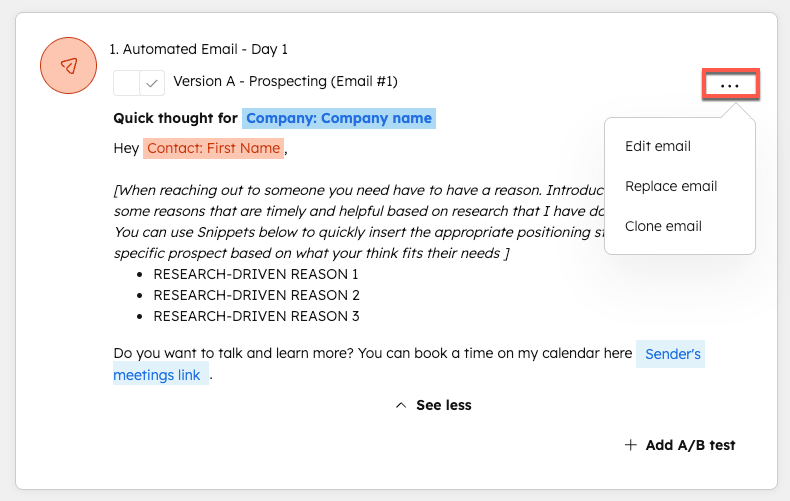
In Lemlist, create a new campaign on the Multichannel plan. Set Day 1 as a LinkedIn connection request with a short note referencing their new role (use the 'title' and 'company' merge fields from Clay). Day 3: LinkedIn message if connected, or skip to email if not. Day 5: first email, personalized intro with a Lemlist dynamic image showing their company logo. Day 10: email follow-up with a case study. Day 15: breakup email. Keep the LinkedIn steps early and use email as the escalation path, not the entry point. Connection request acceptance rates for job changers in my experience run 35 to 45 percent, almost double what you'd see on cold outreach to a static list.
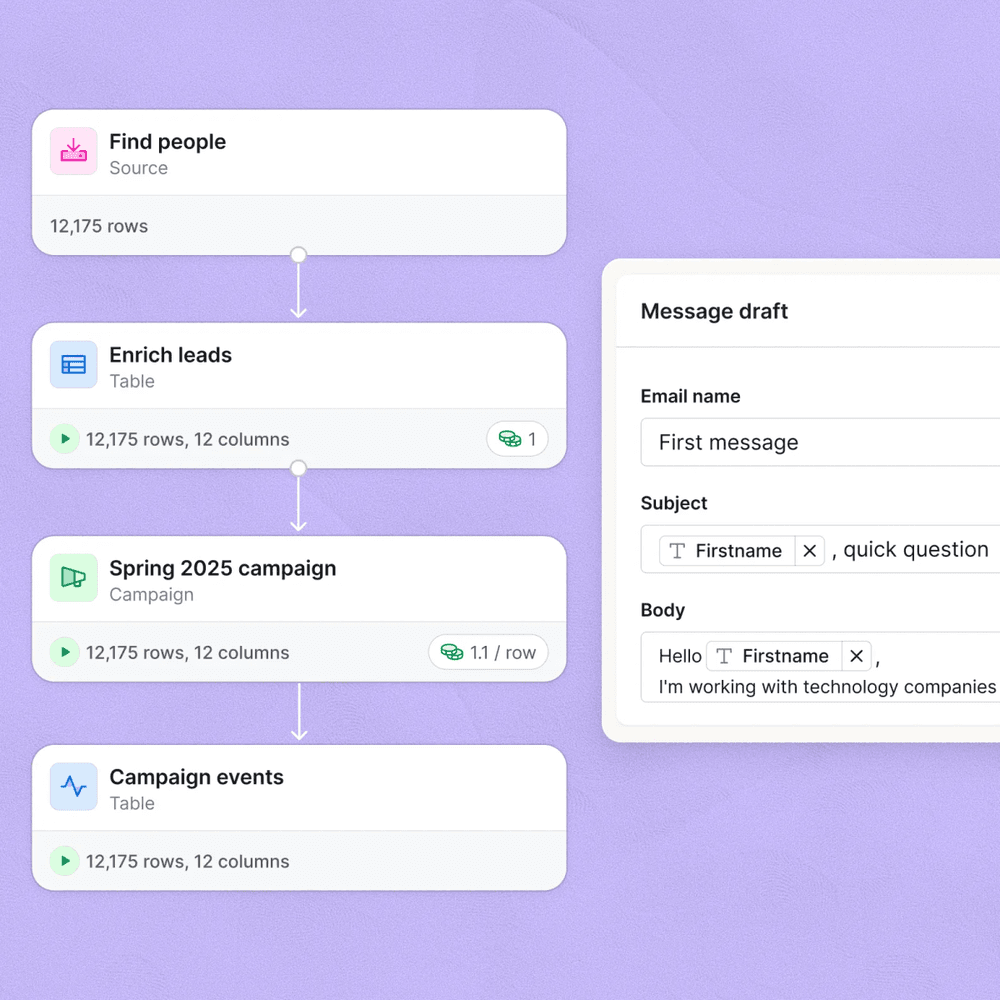
In Clay, add an 'Export to Lemlist' action column. Use Clay's native Lemlist integration (available under Integrations in the column type picker) and map: email to email, firstName to first name, LinkedIn URL to linkedinUrl, currentCompany to company, and any custom personalization variables you built (for example, 'recentPostSummary' for a LinkedIn post icebreaker). Set the filter condition to only export rows where 'Job Change Detected' equals true and 'Confidence Score' is above 80. Run it manually first, then set a recurring Clay sync to fire every Monday morning.
In Lemlist, go to Integrations > HubSpot and connect your portal. Turn on contact creation (for net-new contacts), activity logging for email opens, clicks, and replies, and deal creation on reply. In HubSpot, create a workflow that triggers when the Lemlist 'Reply Received' property is set, then notifies the assigned rep via Slack or Tasks and sets lifecycle stage to SQL. This is the step most teams skip. It's also exactly why AEs show up to discovery calls knowing nothing about what the prospect actually engaged with.
The Gotcha That Breaks This Workflow
The most common failure point I see is merge field mismatches between Clay’s column headers and Lemlist’s expected variable names. Clay exports column headers as-is. Lemlist expects camelCase variable names. If your Clay column is called “First Name” with a space, Lemlist will not parse it. Full stop.
The trap: A Clay column named “Recent Post Summary” exports as Recent Post Summary in the payload. Lemlist receives it and cannot resolve the merge field, so every email either sends with a blank variable or throws an error and pauses the contact. You won’t notice until you check your Lemlist error log three days later and half your sequence is broken.
// Clay HTTP action body -- use camelCase keys
{
  "email": "{{email}}",
  "firstName": "{{first_name}}",
  "linkedinUrl": "{{linkedin_url}}",
  "currentCompany": "{{company}}",
  "recentPostSummary": "{{recent_post_summary}}",
  "jobChangeDate": "{{started_date}}"
}
Rename Clay columns to snake_case before mapping. Lemlist accepts snake_case and camelCase, but not spaces. Test with a 5-row sample export before running your full table.
HubSpot Tracking: What to Actually Measure
Once Lemlist is writing activity back to HubSpot, resist the urge to track everything. Focus on three properties: lemlist_last_reply_date, lemlist_sequence_status (active, replied, bounced, unsubscribed), and lemlist_campaign_name. Create a HubSpot list for contacts where lemlist_sequence_status = replied and lifecycle_stage != customer to give your AEs a clean SQL queue. Then build a simple HubSpot report showing reply-to-meeting conversion by campaign name so you can A/B test your Lemlist sequence copy over time.
G2’s outbound sales benchmarks show that teams closing the feedback loop between sequence engagement and CRM stage see 28% higher conversion from SQL to opportunity. That number tracks with what I see in practice. The teams skipping this step are optimizing sequence copy in the dark.
This is also where the Trigify + HubSpot lead scoring workflow becomes additive. If you’re already scoring leads in HubSpot, pipe Lemlist engagement events into your scoring model as positive signals.
Which plan do you actually need?
Choose Clay if

- You are running more than 500 enriched contacts per month
- You want waterfall enrichment across multiple data providers in one table
- You need custom formula columns and signal logic without code
Choose Lemlist if

- You want LinkedIn connection and message steps built into your sequences natively
- You need dynamic image personalization without a design tool
- You are running multichannel outbound from one campaign interface
Choose HubSpot if

- Your AEs live in a CRM and need activity context before calls
- You want workflow automation to route replied contacts to reps automatically
- You need reporting across the full signal-to-close funnel
Ship This Week, Iterate Next Month
This workflow is intentionally scoped to one signal (job changes) and one sequence structure (LinkedIn first, email escalation). Do not bolt on intent data, website visitor signals, or account scoring in the first build. Get 50 contacts through the full loop, check your HubSpot activity log, verify that replies are routing to reps, and measure reply rate before you add any complexity.
If you want to extend the signal layer, the Warmly + Make signal-based outbound workflow pairs well here as a warm account layer running in parallel. The Clay enrichment table approach also scales cleanly to cold email deliverability workflows if you want to add volume through a tool like Smartlead or Instantly later. But the three-tool core, Clay pulling signal, Lemlist sequencing it, and HubSpot tracking it, is already a production-grade outbound loop that most sales teams simply don’t have.
Sources
Frequently asked questions
Can Clay push contacts directly into Lemlist sequences?
Yes. Clay's HTTP request column or native Lemlist integration lets you POST enriched rows directly into a Lemlist campaign. Map your Clay column headers to Lemlist merge fields before you export.
How do I track Lemlist replies in HubSpot?
Use Lemlist's native HubSpot integration or a Zapier/Make webhook to create a HubSpot activity on reply. Set the deal stage or lifecycle field to trigger your sales follow-up sequence.
What LinkedIn data signals work best in Clay for outbound?
Job change signals (new role in the last 90 days), recent LinkedIn post activity, and company headcount growth above 20 percent are the three triggers most worth testing first.
Does this workflow require LinkedIn Sales Navigator?
Not strictly. Clay can pull public LinkedIn data via Phantombuster or its native LinkedIn enrichment. Sales Navigator unlocks richer saved search syncing and reduces scraping risk.
How many tools does this outbound loop require?
Three core tools: Clay for enrichment and signal detection, Lemlist for multichannel sequencing, and HubSpot for CRM tracking. You can add Make or Zapier as a glue layer if you skip native integrations.