Best Email Automation for Pipedrive (2026 Picks)
 By Ian Chamberland 10 min read
 TL;DR
For outbound teams, Make or n8n paired with a dedicated sequencer solves Pipedrive's email automation weakness better than any native fix or single bolt-on tool.
On this page
Pipedrive is a genuinely good CRM for pipeline management. Its automation engine, though? It looks impressive in a demo and then quietly frustrates every SDR who tries to run a real outbound sequence through it. Stage-change triggers, one-step email sends, no reply detection, no inbox rotation, no per-contact throttling. I’ve watched teams ship “automations” in Pipedrive that were really just one-shot notification emails dressed up as sequences. If you are running any meaningful outbound volume, you need something sitting next to Pipedrive doing the actual sequencing work. The question is which tool earns that seat.
Why Pipedrive’s native automation is not enough
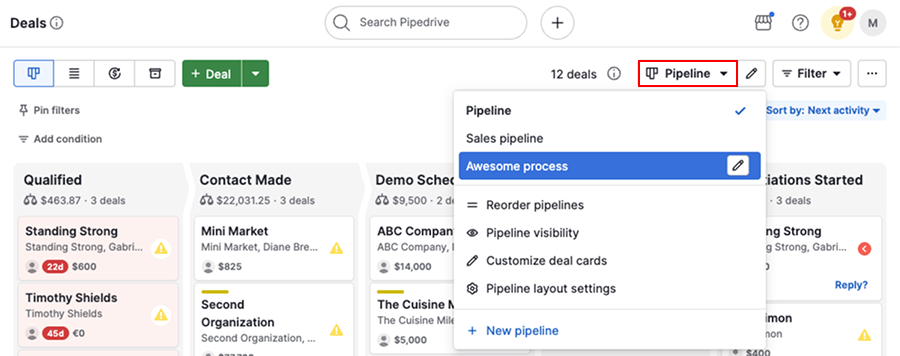
Pipedrive’s automation builder sits on the Professional plan and above. It can trigger an email when a deal moves to a stage, when a contact is created, or on a scheduled delay. That covers about 20 percent of what an outbound team actually needs.
What it cannot do: detect a reply and stop the sequence. Rotate sending across multiple inboxes. Respect per-domain sending limits. Branch based on email engagement data. Send from a different sender than the CRM login. These are not edge cases. They are the baseline for deliverability-safe outbound in 2026. As I covered in the Pipedrive automation limits deep dive, the ceiling is real and it does not move.
The practical fix is to treat Pipedrive as your record of truth for deals and contacts, and route the actual email execution through a purpose-built layer. That layer is either an integration platform (Make, n8n), a broadcast/nurture tool (Kit), or a cold outbound sequencer (Smartlead, Instantly) connected via API. Usually it is two of those three working together.
The four picks, compared
Best email automation tools for Pipedrive outbound teams

Make Top pick
Make is the tool I reach for first when a Pipedrive team needs email automation that actually works. The Pipedrive module triggers instantly on deal stage changes, contact creation, or custom field updates. From there you route to Smartlead, Instantly, or even Gmail via SMTP with full branching logic. The visual canvas makes the workflow auditable, which matters when your ops team needs to debug a sequence that stopped firing at 2am. Make's scenario history and error logs are genuinely good. Setup time is 2-3 hours for a basic Pipedrive-to-Smartlead sequence push. I've seen teams build the full deal-stage-triggered sequence enrollment, reply detection webhook back to Pipedrive, and deal field update in a single afternoon.
Highlights
- Native Pipedrive module, no custom API setup
- Visual canvas with full error log and scenario history
- Routes to Smartlead, Instantly, Brevo, or any SMTP target
- Writes engagement data back to Pipedrive deal fields

n8n
n8n is the right call when you want self-hosted infrastructure, more complex conditional logic, or you are already running n8n for other revenue workflows. The Pipedrive node covers triggers and actions at the same depth as Make, and n8n's code node lets you write custom JavaScript when the no-code path runs out. Where n8n genuinely wins over Make: multi-condition branching on deal data (stage AND owner AND custom field AND last activity date), webhook-in from Smartlead or Instantly back into Pipedrive with data transformation, and the ability to schedule long-running sequence audits. The tradeoff is setup time. Expect 4-6 hours for a comparable workflow, more if you are self-hosting on a VPS rather than using n8n Cloud. Worth it if you are already in the ecosystem. I covered a real n8n-to-sequencer workflow pattern in the [Apollo-to-HubSpot n8n sync post](/blog/2026-09-20-apollo-to-hubspot-with-n8n-auto-sync-contacts-and-trigger-se/) and the logic transfers directly to Pipedrive.
Highlights
- Self-hostable, no per-operation pricing on self-hosted plan
- Code node for custom logic when no-code breaks down
- Webhook support for bidirectional Pipedrive sync
- Strong community templates for Pipedrive outbound patterns

Kit
Kit is the wrong tool for cold outbound and the right tool for the inbound follow-up problem Pipedrive teams quietly ignore. When a lead fills out a demo form and lands as a Pipedrive contact, Kit can run a 5-email nurture sequence with broadcast segments, conditional content, and real deliverability infrastructure. None of which Pipedrive's native email handles well. The integration path is Make or Zapier: Pipedrive contact created triggers Kit subscriber add, which triggers the sequence. Kit's subscriber tagging and sequence logic is purpose-built for this. Where it falls apart: Kit has no concept of a CRM deal stage, no reply detection that loops back to Pipedrive, and its sending infrastructure is tuned for newsletter-style broadcast, not high-volume cold outreach. If your outbound motion is warm inbound, Kit is underrated here. If it is cold, skip it entirely.
Highlights
- Excellent deliverability for inbound nurture sequences
- Tag-based segmentation maps cleanly to Pipedrive pipeline stages
- Integrates via Make or Zapier with Pipedrive webhooks
- Free up to 10,000 subscribers
Pipedrive Native Automations
I am including native Pipedrive automations because teams always ask if they can avoid paying for another tool. The honest answer: you can, for a narrow use case. If your email automation need is 'send a single templated email when a deal reaches Proposal stage,' native automations handle that fine on the Professional plan. You get the Pipedrive merge fields (first name, company, deal name), scheduling by business hours, and basic delay logic. What you do not get is reply detection, inbox rotation, sequence branching, or any engagement data beyond Pipedrive's own open tracking. For a founder-led sales motion at low volume (under 50 new deals per month), native automations might be genuinely sufficient. For a team with two or more SDRs running parallel sequences, you will hit the ceiling fast. The [Pipedrive-to-Close migration post](/blog/2026-09-17-migrate-from-pipedrive-to-close-without-losing-your-sequence/) exists partly because teams keep trying to make native automations work at scale and eventually run out of patience.
Highlights
- No additional cost on Professional plan and above
- Trigger on deal stage, contact creation, activity due date
- Pipedrive merge field support in email body
- Business-hours scheduling built in
How to choose
The decision comes down to what kind of email motion you are actually running and how much infrastructure you want to own. If your primary need is cold outbound sequences with real deliverability controls, native Pipedrive automation is not in the conversation. Full stop. You need Make or n8n as middleware routing into Smartlead or Instantly. Make wins if you want fast setup and a visual canvas your whole ops team can read without a tutorial. n8n wins if you are self-hosting already or you need logic that requires actual code.
Kit occupies a different slot entirely. It is the right answer for teams running inbound-to-pipeline nurture sequences where deal creation in Pipedrive should kick off a content-rich email sequence. It is also genuinely good for newsletter subscribers who convert to Pipedrive deals and need a different follow-up track than your cold outbound motion. The mistake I see is teams choosing Kit for cold outbound because it is familiar from their content marketing work, then wondering why their reply rates are poor. Kit’s infrastructure is not designed for the sending patterns cold outbound requires. For that use case, my review of the $300/month outbound stack covers the right combination in detail.
Which tool fits your Pipedrive setup?
Choose Make if
- You want the fastest path from Pipedrive deal stages to a live sequence
- Your ops team needs a visual workflow they can debug without writing code
- You are routing into Smartlead, Instantly, or any outbound sequencer via API
Choose n8n if
- You want self-hosted automation with no per-operation costs
- Your Pipedrive workflows need multi-condition branching or custom JavaScript
- You are already running n8n for other GTM workflows and want to consolidate
Choose Kit if
- Your email motion is inbound nurture, not cold outbound
- Pipedrive deal creation should trigger a multi-step content or onboarding sequence
- You already use Kit for newsletter or content marketing and want to connect it to pipeline
Choose Pipedrive Native if
- You send fewer than 50 new outbound emails per month and sequences are single-step
- You do not need reply detection or inbox rotation
- You want zero additional tooling and can live with basic merge-field templating
The stack that actually works
The best email automation for Pipedrive is not a single tool. It is Pipedrive handling deal records and stage progression, Make or n8n handling the integration logic, and a purpose-built sequencer handling the actual sending. That combination gives you CRM-accurate pipeline data, auditable workflow logic, and deliverability controls that cold outbound in 2026 requires. For inbound nurture running parallel to your outbound motion, Kit earns a seat at the table.
Pick your middleware based on setup speed (Make) versus infrastructure control (n8n). And do not let either choice delay shipping the workflow. A working sequence in production beats a perfectly architected one still living in a Miro board.
Sources
Frequently asked questions
Does Pipedrive have built-in email automation?
Yes, but it is limited. Pipedrive's native automations can send one-off emails on deal stage changes, but they lack multi-step sequences, reply detection, and sending limits control that outbound teams need.
Can you use Kit with Pipedrive for sales outreach?
Kit integrates with Pipedrive via Make or Zapier but is built for nurture, not cold outbound. It works well for inbound lead follow-up sequences triggered by Pipedrive deal creation.
Is Make or n8n better for Pipedrive email automation?
Make is faster to set up and better for smaller teams. n8n wins if you want self-hosted control, complex branching logic, or you are already running other n8n workflows.
What is the cheapest way to add email sequences to Pipedrive?
Pipedrive's native email automation on the Professional plan ($49/seat/month) covers simple one-step sends. For real sequences, a Make Core plan ($9/month) routing into a free-tier Brevo or Smartlead account is the lowest-cost path.
Does Pipedrive integrate with Smartlead or Instantly?
Not natively. You need Make or n8n as the middleware to push Pipedrive contacts into Smartlead or Instantly sequences and write engagement data back to the deal.
Free Newsletter
Get new posts by email.
Migration guides, tool comparisons, and pricing breakdowns from real RevOps and GTM stacks, sent as they publish.
No spam. Unsubscribe anytime.
Enjoying this? Share it with your team.
Keep reading

Some links are affiliate links. Disclosure.