GuidesCRM
Connect Close CRM to HubSpot with n8n: Sync Deals and Trigger Sequences
Step-by-step guide to syncing Close CRM deals into HubSpot and triggering sequences automatically using n8n. No Zapier tax required.

The tools compared
Entry prices from the pricing index, read Aug 12, 2026
Some links on this page are affiliate links. If you buy through them we may earn a commission at no cost to you; it never changes a verdict. How we make money
The short answer
Use n8n webhooks to push Close CRM deal stage changes into HubSpot contacts and enroll them in sequences automatically, without paying for a native integration or Zapier.
Most teams running Close alongside HubSpot hit the same wall: deals move in Close, sequences live in HubSpot, and nothing talks to each other without someone manually copying contact records or firing off a Zap that costs more per task than it should. This tutorial walks through the exact n8n workflow I’d build to solve that, using Close webhooks, n8n’s HTTP nodes, and the HubSpot Sequences API to create a loop that fires automatically when a deal stage changes.
Why This Integration Is Worth Building
Close is a serious sales CRM. Its built-in calling, email, and pipeline views make it genuinely good for outbound-heavy teams. But most marketing and nurture infrastructure lives in HubSpot: sequences, contact scoring, lifecycle stages. The two tools serve different masters, and that gap creates real operational drag.
The usual answer is Zapier. Don’t bother. Per-task pricing adds up fast once you’re firing on every deal stage change across a busy pipeline. n8n is the better move: self-hosted means no task tax, and the workflow canvas gives you the conditional logic you actually need (upsert a contact if they don’t exist yet, skip enrollment if they’re already in a sequence).
Per the n8n HubSpot node docs, HubSpot’s node supports contact create, update, search, and sequence enrollment natively. Close’s side is handled via webhook plus an HTTP Request node against the Close REST API.
The Workflow You’re Building
The end state is a five-node n8n workflow. A Close deal moves to a specific stage (say, “Demo Booked”). Close fires a webhook. n8n receives it, extracts the contact’s email, checks whether that contact exists in HubSpot, creates or updates the record, then enrolls them in the right HubSpot sequence based on the deal stage. No manual steps, no Zapier task counter ticking up.
The conditional branch in the middle is what makes this useful. Different deal stages map to different sequences. A demo booked stage might enroll into a pre-demo prep sequence, while a proposal sent stage hits a closing sequence. You build that logic once in n8n using IF nodes and it runs without intervention.
I’d argue most teams underestimate how much value lives in that branch. A single IF node replacing what would otherwise be manual rep judgment is the whole point.

In Close, go to Settings > Integrations > Webhooks and create a new outbound webhook. Set the event to 'Opportunity Status Changed' (Close calls deal stages 'opportunity statuses'). Point it at your n8n webhook URL, which you'll get from the Webhook trigger node in the next step. Close sends a JSON payload with opportunity ID, lead ID, contact ID, and the new status name.
In n8n, add a Webhook node and set it to POST. Copy the production URL and paste it into Close. Set the response mode to 'Immediately' so Close does not time out waiting. Add a Set node directly after to extract the fields you need: contact email (you'll fetch this separately), lead ID, and the opportunity status name. Those three values drive every downstream decision.
Close's webhook payload gives you a lead ID but not always an email directly. Add an HTTP Request node that calls GET `https://api.close.com/api/v1/lead/{lead_id}/` with Basic Auth (your Close API key as the username, blank password). Parse the contacts array from the response and extract the first primary email. This is the lookup key for HubSpot.
Add a HubSpot node and select 'Contact: Upsert'. Pass in the email from the previous step. Map any Close fields you want to mirror: company name, deal stage as a custom property, Close lead ID as a reference field. The upsert handles both create and update, so you never need a separate search-then-branch for contact existence. HubSpot returns the contact ID you need for enrollment.
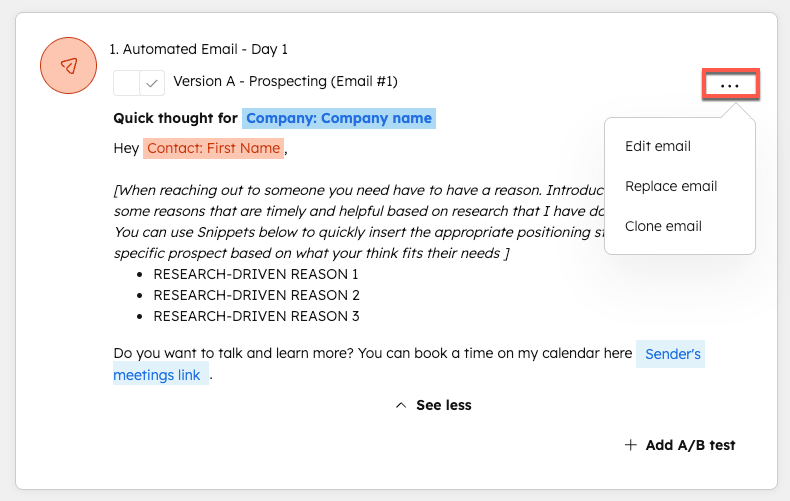
Add an IF node that checks the opportunity status name. Each branch maps to a sequence ID in HubSpot. Add a HubSpot node on each branch, select 'Sequence: Enroll Contact', and pass in the contact ID plus the relevant sequence ID. The HubSpot API requires the enrolling user's email address too, so store that as a static value in n8n credentials or an environment variable. A contact already enrolled in a sequence will return a 409 error; add an error handler or a search-first node if that's a real risk in your pipeline.
The Gotcha You Will Hit
The most common failure point in this workflow is the sequence enrollment step. HubSpot’s Sequences API will reject the call if the contact does not have a valid email, if the sequence is paused, or if the enrolling user does not have a Sales Hub seat. Per the HubSpot Sequences API docs, the n8n HubSpot node does not surface a clean error for the seat issue specifically.
The trap: You wire everything up, the contact upsert works, but sequence enrollment silently fails with a 403. You check the API key and it looks fine. The real issue is that HubSpot’s Sequences API requires the enrolling user (the email in the userId field) to hold an active Sales Hub Professional or Enterprise seat. A free or Marketing-only HubSpot user will fail every time, no matter how correct the rest of the payload is.
// Correct HubSpot Sequences enrollment payload
{
  "sequenceId": "12345678",
  "contactId": "987654321",
  "startingStepOrder": 0,
  "enrolledFrom": "CRM",
  "userId": 112233
}

// userId must be a Sales Hub seat holder
// Get your userId from:
// GET https://api.hubapi.com/crm/v3/owners/
// Match by email, use the numeric id field
The second gotcha: a contact already enrolled in a sequence returns a 409 Conflict. My read is you should add an error branch in n8n that catches 409s and logs them to a Slack channel or Google Sheet rather than letting the workflow fail silently. Build that from day one, not after your first missed enrollment.
For a deeper look at how Close stacks up as a standalone CRM versus alternatives with more native HubSpot connectivity, the Close vs Pipedrive vs HubSpot comparison is worth reading before you commit to this architecture.
Which Setup Is Right for Your Team
Which integration approach fits your stack?
Choose n8n (self-hosted) if

- You have a developer or technical RevOps person who can manage a server or Docker container
- Your pipeline fires more than 500 deal stage changes per month and Zapier task costs are already a concern
- You need conditional logic: different sequences per stage, skip if already enrolled, log errors to Slack
Choose n8n (cloud) if
- You want n8n's workflow power without managing infrastructure
- Your volume is moderate and the $20/mo cloud plan covers your execution count
- You want the same canvas and nodes but with hosted reliability out of the box
Choose Zapier if

- Your team is non-technical and needs a fully managed, point-and-click setup
- Volume is low (under 200 tasks per month) and the free or Starter tier covers it
- You are willing to trade cost efficiency for setup speed and support
If you want to extend this workflow further upstream, the Lemlist integrations guide covers how to fire outbound sequences from Lemlist on the same Close webhook events. Worth considering if your team runs cold outbound in Lemlist and warm nurture in HubSpot at the same time.
Putting It Together
The Close-to-HubSpot sync via n8n is one of the cleaner integration recipes in the RevOps toolkit because the data model is simple: one deal stage change, one contact upsert, one sequence enrollment. The five-node workflow above handles the full loop. Wire up your Close webhook, grab your HubSpot Sales Hub owner ID from the owners endpoint, map your stage names to sequence IDs, and the whole thing runs without supervision. The usual failure points (sequence enrollment 403s and 409s) are predictable and fixable at build time if you add error branches from the start.
Sources
Frequently asked questions
Does Close CRM have a native HubSpot integration?
No native two-way sync exists. You need middleware like n8n, Zapier, or Make to connect Close and HubSpot reliably.
What triggers can I use from Close CRM in n8n?
Close supports outbound webhooks on deal stage changes, lead status updates, and activity creation, which n8n can receive via its webhook trigger node.
Can n8n enroll contacts into HubSpot sequences automatically?
Yes. n8n can call the HubSpot Sequences API to enroll a contact by sequence ID and contact ID, as long as the contact exists in HubSpot and the sequence is active.
Is n8n free for this kind of workflow?
n8n's self-hosted version is free. The cloud plan starts at around $20 per month and covers most small-to-mid RevOps automation needs.
What happens if a deal exists in Close but not yet in HubSpot?
You need an upsert step in the workflow: search for the contact by email first, then create it if missing before enrolling in a sequence.