GuidesPipedrive
Pipedrive to JSON: Export and Pipe Deal Data Without Zapier
How to pull Pipedrive deal data as JSON using the REST API, n8n, or Make without paying for Zapier middleware. Step-by-step with real endpoints.

The tools compared
Entry prices from the pricing index, read Aug 12, 2026
Some links on this page are affiliate links. If you buy through them we may earn a commission at no cost to you; it never changes a verdict. How we make money
The short answer
You can export Pipedrive deal data as JSON directly via the Pipedrive REST API or through n8n and Make workflows, no Zapier required and no per-task fees eating your margin.
Most teams asking about Pipedrive to JSON are not doing a one-time export. They want deal data feeding downstream: into a Clay enrichment table, a custom revenue dashboard, a Slack alert, a data warehouse. Zapier will do this. You will also pay per task at a rate that compounds painfully once you hit real pipeline volume. The better path is the Pipedrive REST API directly, a self-hosted n8n workflow, or a Make scenario. All three return clean JSON. None of them charge you per deal record pulled.
Why Pipedrive’s Native Export Falls Short
Pipedrive’s built-in export sends a CSV to your inbox. Fine for a quarterly board snapshot. Nearly useless for automation. The moment you need deal data in a downstream system on a schedule or on a trigger, you need the API.
Good news: per Pipedrive’s developer docs, the REST API is available on all paid plans and returns JSON by default. Every deal, contact, activity, and pipeline stage is queryable. Authentication is either API key or OAuth 2.0. Rate limits are generous enough for most GTM workflows: 100 requests per 10-second window on Essential, higher on Advanced and above.
The typical failure mode is teams reaching for Zapier out of habit, or making a raw API call without pagination handling, then wondering why they only get 100 records. Both problems are solvable without adding middleware costs. I’d argue the second failure is more dangerous because it’s silent: your dashboard looks complete and isn’t.
The Three Approaches, Ranked by Setup Time
My read on the three viable paths: raw API calls are fastest for one-offs but require you to manage auth, pagination, and error handling yourself. n8n abstracts all of that with a native node and gives you a visual canvas for downstream routing. Make sits in between: solid Pipedrive module, scenario-based logic, and per-operation pricing that is still cheaper than Zapier at scale.
Don’t bother stitching together a Zapier multi-step Zap for this. The per-task cost on any meaningful polling frequency will exceed what you’d pay for n8n Cloud in under three months.
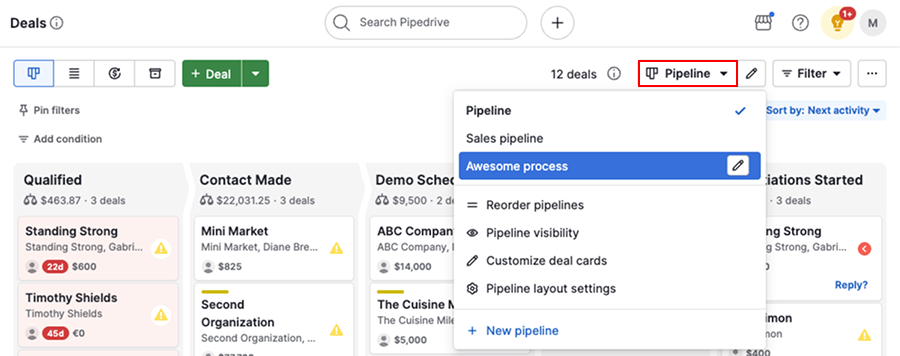
In Pipedrive, go to Settings > Personal preferences > API. Copy your personal API token. For production workflows with multiple users, set up an OAuth 2.0 app under Settings > Tools and integrations > API. The token approach is fine for internal tooling; OAuth is required if you are building something shared across a team or selling access.
Make a GET request to https://api.pipedrive.com/v1/deals?api_token=YOUR_TOKEN&limit=100&start=0. The response body is JSON with a data array of deal objects and an additional_data.pagination object. Check next_start inside pagination to know whether more pages exist. If more_items_in_collection is true, increment start by your limit and loop.
In n8n, add a Schedule Trigger (every 15 minutes or daily, depending on your use case). Connect a Pipedrive node, set operation to Get All Deals, enable Return All to handle pagination automatically. The node outputs a JSON array you can pass directly to downstream nodes: a Google Sheets append, a Postgres insert, a Clay webhook, or a Slack message with deal summary.
Pipedrive deal objects are verbose. A typical record includes 80-plus fields you probably do not need. Use an n8n Set node to extract only what matters: id, title, value, currency, stage_id, owner_id, expected_close_date, and any custom fields your team tracks. Custom fields come through as hash-keyed strings like abc123_custom_field. Map them to human-readable keys in this step.
For live data (not batch), add a Webhook trigger node in n8n and register the URL in Pipedrive under Settings > Webhooks. Choose the event type: updated.deal or added.deal. Pipedrive will POST a JSON payload to your webhook URL on every matching event. This is the pattern to use for real-time CRM-to-Slack alerts or live dashboard updates without polling.
The pagination trap
The most common failure with raw Pipedrive API calls is pulling only the first page and assuming it is the full dataset. If your pipeline has more than 100 deals (and most do), you will silently miss records downstream. n8n’s “Return All” toggle handles this automatically. If you are writing raw API calls, you must loop until more_items_in_collection returns false. Skipping this step means your revenue dashboard will always undercount open pipeline, and you won’t know it until someone cross-checks the numbers manually.
// Paginated Pipedrive deal fetch (plain JS)
async function getAllDeals(apiToken) {
  const deals = [];
  let start = 0;
  const limit = 100;
  let hasMore = true;

  while (hasMore) {
    const url =
      `https://api.pipedrive.com/v1/deals` +
      `?api_token=${apiToken}` +
      `&limit=${limit}&start=${start}`;

    const res = await fetch(url);
    const json = await res.json();

    deals.push(...(json.data || []));

    const pg = json.additional_data?.pagination;
    hasMore = pg?.more_items_in_collection ?? false;
    start += limit;
  }

  return deals;
}
Which Tool to Use for the Pipeline
If you are already running Make for other GTM automations, the Pipedrive module there is solid and you can keep everything in one place. The Make integrations that actually work for GTM teams post covers how to think about Make’s scenario structure for CRM workflows.
If you are standing up something new and want maximum flexibility without per-task pricing at scale, n8n self-hosted is my recommendation. The n8n workflow canvas handles Pipedrive pagination, field transformation, and downstream routing in a single flow. For teams piping data between multiple CRMs, the connect Salesflare to HubSpot with n8n post shows the same pattern applied to a dual-CRM sync if you want a reference architecture.

Pick your Pipedrive JSON extraction method
Choose Raw Pipedrive API if

- You are building a custom internal tool or script
- You want zero external dependencies
- You are comfortable writing a pagination loop and handling auth yourself
Choose n8n if

- You want visual workflow editing and built-in pagination handling
- You need to route deal JSON to multiple downstream systems
- You want self-hosted, unlimited executions, or predictable cloud pricing
Choose Make if

- You are already using Make for other marketing or sales automations
- You prefer a scenario-based visual builder over code
- You need the Pipedrive module plus native connections to Google Sheets or Slack
Putting It Together
The Pipedrive to JSON problem is really three separate problems: authentication, pagination, and downstream routing. Solve all three and you have a reliable data pipeline. Solve only the first (the trap most tutorials stop at) and you will debug missing records for weeks.
Use n8n’s native Pipedrive node if you want pagination handled for you. Use the raw API if you want full control and no visual abstraction. Use Make if you want a middle path with per-operation pricing that undercuts Zapier at meaningful volume. None of these options require a Zapier account, and none charge you per deal record pulled. For teams comparing Pipedrive’s overall value against alternatives, the Mailshake vs Pipedrive breakdown is worth a read for positioning context.
Sources
Frequently asked questions
Does Pipedrive have a JSON export?
Pipedrive does not offer a native one-click JSON export from the UI, but the REST API returns all deal, contact, and pipeline data as JSON by default on any paid plan.
How do I get deal data out of Pipedrive without Zapier?
Use the Pipedrive REST API directly, or build a workflow in n8n or Make using the built-in Pipedrive nodes. Both tools support paginated deal pulls and JSON transformation with no per-task pricing.
What Pipedrive API endpoint returns deal data as JSON?
The endpoint GET /v1/deals returns a paginated JSON array of all deals. Add query params like status=open and limit=100 to filter and page through results.
Is the Pipedrive API available on all plans?
Per Pipedrive's documentation, API access is available on all paid plans including Essential. Rate limits vary by tier, with higher plans getting more requests per 10-second window.
Can n8n replace Zapier for Pipedrive automations?
Yes. n8n has a native Pipedrive node that handles OAuth authentication and exposes all major API operations including deal reads, updates, and webhook triggers.