GuidesMigration guide
Migrate from Lusha to FullEnrich Without Losing Your Enrichment Workflows
Step-by-step guide to switching from Lusha to FullEnrich waterfall enrichment, covering workflow exports, Clay integration, and what breaks in transit.

The tools compared
Entry prices from the pricing index, read Aug 12, 2026
Some links on this page are affiliate links. If you buy through them we may earn a commission at no cost to you; it never changes a verdict. How we make money
The short answer
Migrating from Lusha to FullEnrich takes about a day of setup if you export your field mappings first, rebuild your waterfall logic in FullEnrich or Clay, and verify match rates on a held-out sample before going live.
The trigger is almost always the same: your Lusha credits run out mid-month, you go to buy more, and the per-seat renewal math finally breaks you. Or you run a waterfall in Clay and realize Lusha is sitting there as a single-source enrichment node while every other column is a multi-provider cascade. Either way, you are on a pricing page for Lusha alternatives, wondering how much work the switch actually is. In my experience, this migration is less work than you think, but only if you do the prep correctly.
Before you migrate
The single biggest mistake I see teams make is cutting over the API key before they know what they are replacing. Lusha’s enrichment sits in at least three places for most teams: a Chrome extension workflow, a CRM integration writing directly to contact fields, and an API call buried inside a Clay table or Zapier zap. Audit all three before you generate a FullEnrich API key.
Don’t bother trying to export your enrichment logic from Lusha’s UI. It doesn’t exist as an exportable artifact. What you can export is the contact data itself, and that is the only ground truth you will have for match rate comparison later.
Here is the prep checklist:
- Export your enriched contact list from Lusha. Go to Lusha’s dashboard, filter by date range (last 90 days is enough), and export as CSV. This becomes your baseline for match rate comparison later.
- Document every field Lusha writes to in your CRM. Common ones:
Email,Direct Phone,Mobile Phone,Job Title,Company Domain. Some teams also have custom fields likeLusha Confidence Score. Note the exact CRM field API names. - List every integration point. Lusha CRM sync (HubSpot or Salesforce), any Clay columns calling the Lusha enrichment action, any Zapier or Make scenarios hitting the Lusha API, and any direct REST API calls in your own code.
- Pause or flag active sequences. If you have sequences firing in Outreach or Smartlead that rely on Lusha-enriched phone numbers, flag those contacts so you do not drop them during the cutover window.
- Note your current monthly credit burn. Log in to Lusha, check usage for the last three months, and calculate your average monthly enrichment volume. You need this to size your FullEnrich plan correctly.
Migration steps
Sign up at FullEnrich and navigate to Settings > API. Copy your API key. FullEnrich's free trial gives you 100 enrichment credits to run your validation sample, which is exactly what you need at this stage. Do not connect anything to production yet.
Take the CSV you exported from Lusha and pull 200 records enriched in the last 60 days. Upload them to FullEnrich's bulk enrichment endpoint (or paste into the dashboard UI). Compare the returned emails against your Lusha baseline. I typically see 85-95% overlap on business emails, plus meaningful uplift on records where Lusha returned nothing. Document the delta before moving on.
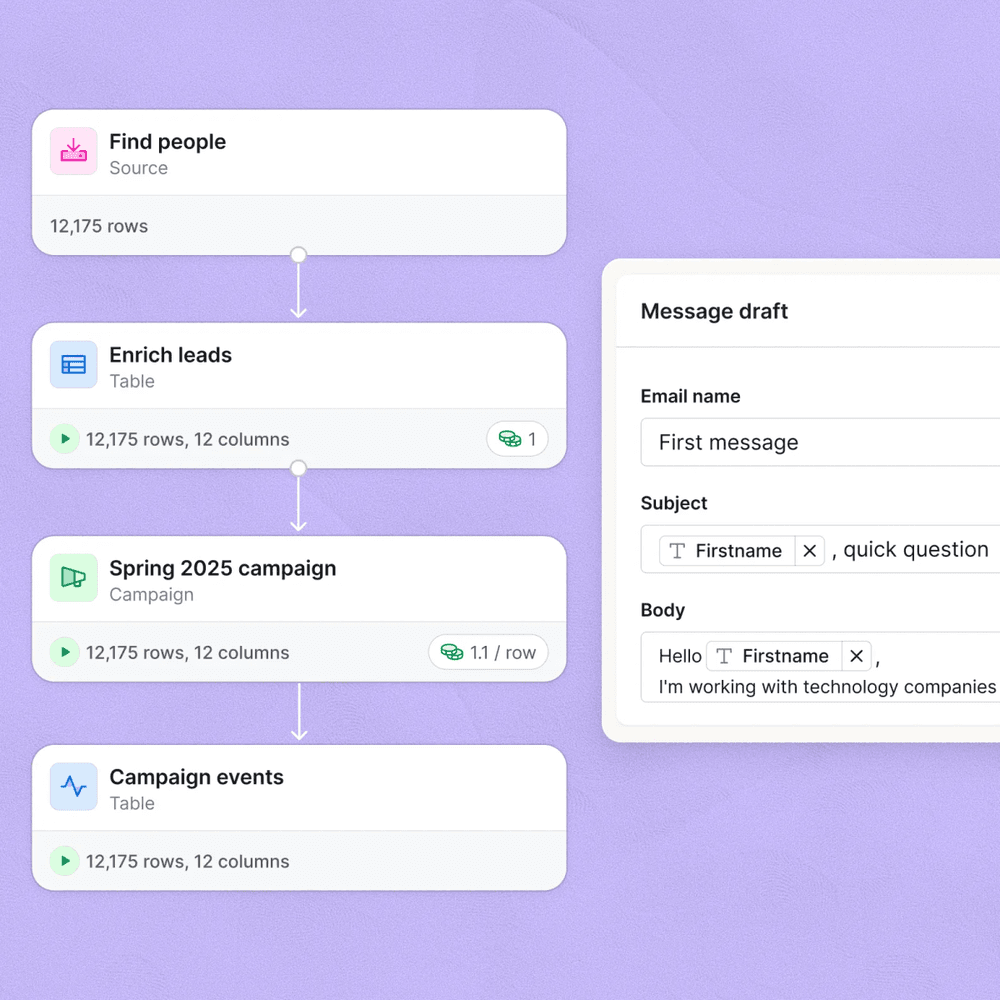
In Clay, find every table with a Lusha enrichment column. Add a new FullEnrich column using the native Clay integration (search 'FullEnrich' in the enrichment picker). Set the input to LinkedIn URL, or email domain plus first/last name. FullEnrich runs its own internal cascade across providers, so you do not need to manually chain BetterContact or LeadMagic behind it unless you want explicit fallback control. Disable the Lusha column but do not delete it yet.
In FullEnrich's Integrations panel, connect your HubSpot or Salesforce org. Map FullEnrich's output fields to the same CRM properties Lusha was writing to. FullEnrich returns 'email', 'phone_number', 'mobile_number', 'linkedin_url', and 'job_title'. Match these to your existing CRM field API names exactly. If Lusha was writing to a custom field called 'lusha_verified_email', point FullEnrich to that same field so downstream workflows stay intact.
For each zap or scenario hitting the Lusha REST API, swap the HTTP action to POST at FullEnrich's enrichment endpoint with your new API key in the Authorization header. The request body structure differs: FullEnrich expects a JSON object with 'first_name', 'last_name', 'company_domain' or 'linkedin_url'. Update your field mappings in the downstream steps to read from FullEnrich's response keys.
Once your parallel test confirms acceptable match rates, flip production traffic to FullEnrich. Update your Chrome extension or prospecting workflow to use FullEnrich's browser extension instead of Lusha's. Cancel your Lusha subscription before the next billing cycle (Lusha renews monthly or annually, check your contract). Keep the Lusha CSV export for 90 days in case you need to audit a discrepancy.
What breaks, and what does not transfer
Most things survive the migration. Your CRM data is already written. FullEnrich does not retroactively change existing records unless you explicitly tell it to re-enrich. Your sequences keep running. Your deal pipeline is untouched.
What actually breaks is subtler, and I have seen each of these catch teams off guard.
Lusha’s confidence score does not map to anything in FullEnrich. If you built HubSpot list logic or lead scoring rules off a Lusha Confidence Score field, those filters go dark immediately. FullEnrich returns a boolean verified flag rather than a numeric score. Update any list segmentation that referenced confidence thresholds before you cut over, not after.
The Chrome extension workflow changes. Lusha’s extension is deeply embedded in LinkedIn and Sales Navigator side panels. FullEnrich’s extension covers the same surfaces but the UI is meaningfully different. Budget 30 minutes to re-train your SDRs on where to click. Skipping this step is how you end up with reps who quietly stop enriching contacts because the button moved.
Bulk enrichment job format differs. Lusha accepts CSV uploads with a specific column header format. FullEnrich’s bulk API expects either a JSON array or a CSV with its own required columns. Any internal scripts that automated Lusha bulk uploads need rewriting. This is usually a one-hour fix, but it surprises teams that forgot those scripts existed.
The gotcha: If you relied on Lusha’s LinkedIn Sales Navigator native sync to push enriched data directly into your CRM without a middle layer, that specific integration path does not exist in FullEnrich the same way. Teams that used this often discover their enrichment pipeline was invisible to them until it stops. This is worth auditing before you cancel anything.
// FullEnrich API request body (replaces Lusha REST call)
{
  "first_name": "Jane",
  "last_name": "Smith",
  "company_domain": "acme.com",
  "linkedin_url": "https://linkedin.com/in/janesmith"
}

// FullEnrich response keys to remap in your zap/scenario:
// "email", "phone_number", "mobile_number",
// "job_title", "linkedin_url", "verified"
Verify it worked
Do not assume the cutover succeeded. Run these four checks before closing the migration ticket.
- Match rate check. Re-run your 200-record holdout through FullEnrich in production and confirm the results match your trial run. If match rate dropped more than 5 percentage points, something is wrong with your input field mapping.
- CRM write check. Create a test contact in HubSpot or Salesforce and trigger FullEnrich enrichment manually. Confirm the correct fields populate and no fields write to the wrong property.
- Clay column output check. Open your most-used Clay table, force a re-run on 10 rows, and confirm FullEnrich is returning data in the output columns where Lusha used to write.
- Sequence continuity check. Pull a random sample of 20 active contacts from your Outreach or Smartlead sequences and confirm their email and phone fields are populated and valid. Blank fields here usually mean those contacts depended on a Lusha enrichment that ran before cutover and never got re-enriched.
Which tool fits which team from here
Once you are off Lusha, you have real options. FullEnrich is the right default for most teams, but the waterfall enrichment space has a few distinct plays worth knowing. My honest take: BetterContact is worth a look if mobile coverage is your primary gap, but for most outbound-focused RevOps teams running Clay, FullEnrich handles 90% of the job without requiring you to configure a provider cascade yourself.
Lusha Alternatives: Which Fits Your Stack
Choose FullEnrich if

- You want a single API call that cascades across 15+ providers automatically
- You run Clay-based enrichment workflows and want native integration
- You want predictable per-record pricing instead of per-seat credits
Choose BetterContact if

- You need the highest possible mobile and direct dial hit rates, not just email
- You want a waterfall you can configure provider-by-provider yourself
- Your ICP skews toward SMB where Lusha's enterprise-heavy database underperforms
Choose LeadMagic if

- You primarily enrich from LinkedIn URLs and want the cheapest cost per verified email
- You run high-volume Clay tables and need to minimize API spend
- You do not need phone numbers returned in the same call
Choose Clay (waterfall mode) if

- You want full provider-level control and the ability to mix FullEnrich, BetterContact, and LeadMagic in one table
- You are already running outbound workflows in Clay and want enrichment baked in
- You are comfortable building and maintaining waterfall logic yourself
For teams that have already made the Apollo to Clay migration, this move is the natural next step. Replace Apollo’s built-in enrichment and Lusha’s single-source phone lookups with a proper waterfall that costs a fraction per record.
The migration is worth the day it takes
Lusha made sense when your team was small, enrichment was an afterthought, and you needed a browser extension that just worked. At scale, single-source enrichment with per-seat pricing is expensive and brittle. FullEnrich solves the provider diversity problem without requiring you to build and maintain a multi-step waterfall yourself. If you are already running Clay for outbound, the integration is three clicks. If you are not on Clay yet, the LinkedIn outbound loop with Clay and Lemlist gives you the full picture of where enrichment sits in a modern outbound stack.
The G2 enrichment tools category now lists over 40 tools competing with Lusha, but most of them are still single-source. Waterfall enrichment, as documented in FullEnrich’s provider methodology, is the architectural shift that actually moves match rates. Do the migration, run the parallel test, and you will wonder why you waited.
Sources
Frequently asked questions
Is FullEnrich a good Lusha alternative?
Yes, especially if you run waterfall enrichment. FullEnrich cascades across 15+ data providers and typically costs 60-80% less per enriched contact than Lusha's per-credit model.
Can I use FullEnrich inside Clay?
Yes. FullEnrich has a native Clay integration. You add it as an enrichment column and it runs its waterfall automatically, returning the best available email and phone.
What data does Lusha export include?
Lusha lets you export enriched contacts as CSV with name, title, company, email, phone, and LinkedIn URL. It does not export your API call logs or enrichment field-mapping configs.
Does FullEnrich cover mobile/direct dials like Lusha?
FullEnrich returns mobile numbers when available from its provider cascade, but mobile coverage varies by region and is generally stronger in North America than EMEA.
How long does a Lusha to FullEnrich migration take?
Most teams complete the migration in one business day: a few hours of prep, an hour of FullEnrich setup, and an afternoon of parallel testing on a sample list.