Pipedrive Automations Are Leaking Deals: Audit and Fix the Gaps
 By Ian Chamberland 9 min read
 TL;DR
Most Pipedrive automation failures come from missing multi-step logic and no fallback branches, which you can fix with n8n or Make before considering a CRM switch.
On this page
If you are searching “pipedrive competitors” right now, I want to slow you down for ten minutes. Not because Pipedrive is perfect, but because the frustration driving people toward a CRM switch is almost never a CRM problem. It is an automation architecture problem. The pipeline is fine. The logic holding it together is not. Before you spend three months migrating to HubSpot or Salesforce, run this audit first. You might save yourself the migration entirely, or at least know exactly what you are actually buying.
The two places your pipeline is definitely leaking
I’ve audited enough Pipedrive instances to say this with confidence: the leak is almost always in one of two places. Post-demo follow-up is the first. Inbound lead routing, when more than one condition needs to be true simultaneously, is the second.
Pipedrive’s native automations are event-triggered and linear. Deal moves to stage, send email, create activity. Fine for simple pipelines. But the moment you need “if contact opened the proposal email but did not reply within 48 hours, assign a call task to the owner AND notify the manager in Slack,” you are outside what native Pipedrive can do. There is no branching. No wait step with a conditional check. No cross-object lookup that says “check if this contact also has an open deal in another pipeline.”
You end up with reps manually checking dashboards to compensate. Which means they are not doing it.
The Pipedrive automation limits post covers the ceiling in detail. What I want to focus on here is the specific patterns that cause revenue to slip through, and how to close them systematically before you decide the tool itself is the problem.
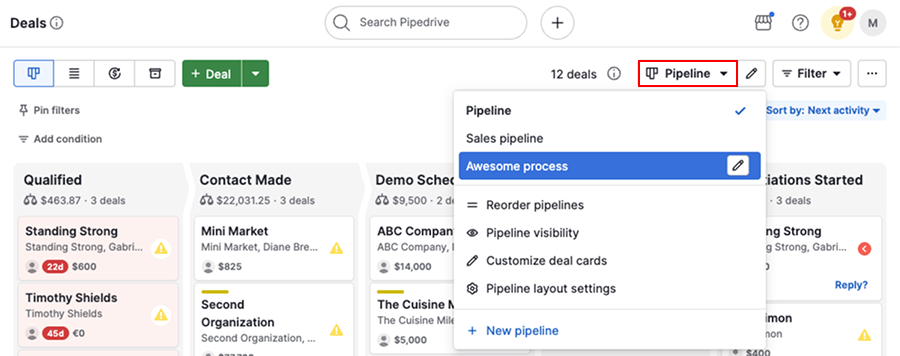
The audit: four questions to run right now
Before layering in any tooling, answer these four questions about your current setup. Pull up your Pipedrive automation list and your last 90 days of closed-lost data side by side.
For each native automation, ask: what happens if the trigger fires but the expected condition is not true? Pipedrive has no fallback branch, so the answer is usually 'nothing.' Flag every automation where 'nothing' is a revenue risk.
Filter Pipedrive by 'last activity date' more than 14 days ago and deal status 'open.' This is your automation leak in dollar form. If this list has more than 5 deals on it, your follow-up automation is not working.
Pipedrive's native automations cannot trigger on email open or click events from external tools like Smartlead or Lemlist. If your sequences live outside Pipedrive, there is zero chance a reply or no-reply is updating deal stage automatically without a webhook bridge.
If a lead comes in meeting more than two conditions (territory, company size, product tier, lead source), can your current automation handle all combinations? Write out the decision tree on paper. If it has more than four nodes, Pipedrive native cannot execute it reliably.
Fixing the gaps: n8n vs. Make vs. switching
Once you have your audit output, the fix usually falls into one of three buckets. I will be direct about which is which.
The trap most teams fall into: they try to fix branching logic by creating more native Pipedrive automations and stacking workarounds on top of each other. I’ve seen pipelines with 40+ native automations where 15 of them exist solely to compensate for the fact that the original 5 had no fallback. This becomes unmaintainable in under six months. It is usually what triggers the “let’s just switch CRMs” conversation.
// n8n: Pipedrive deal stall detection
// Trigger: Schedule (every 4 hours)
// Node 1: Pipedrive - Get all open deals
// Node 2: Filter - last_activity_date < now - 14d
// Node 3: IF - deal.stage_id == "demo_done"
//   YES branch: Slack notify + create call activity
//   NO branch:  Send follow-up email via Smartlead
// Node 4: Pipedrive - Update deal "stale_flag" field
n8n handles the branching problem cleanly. A scheduled workflow polls Pipedrive’s API every four hours, filters stale deals, branches on stage, and fires the right action per branch. You can see a similar multi-branch pattern in our n8n Pipedrive integration walkthrough. Self-hosted n8n costs effectively nothing beyond the server. Cloud n8n starts at $20/month. For most teams, this is the right fix. Don’t bother rebuilding your CRM data model when what you actually need is a conditional branch.
Make is the better choice if your team needs a visual canvas and is not comfortable maintaining a server environment. Make’s Pipedrive module covers deal, contact, activity, and organization triggers with filter support. The Starter plan at $9/month handles up to 10,000 operations, which is enough for a 5 to 10 rep team. The tradeoff: complex conditional logic in Make gets visually noisy fast. Router modules with four or more paths become hard to audit six months later.
The HubSpot switch makes sense in exactly one scenario. When you need marketing attribution (UTM source, ad click, content engagement) to live on the same object as the deal, natively, without a sync layer. HubSpot Workflows support branching, delays, enrollment re-triggers, and goal-based exits that Pipedrive genuinely cannot match. But you are paying $800 to $1,200/month for Professional and committing to a data model migration that will consume your ops bandwidth for a quarter. I’ve seen this go well. I’ve also seen it destroy team productivity for six months straight. The HubSpot workflows comparison post covers the tradeoffs in detail.
Which fix matches your situation?
Choose n8n if

- You have at least one person comfortable with JSON or basic scripting
- You need conditional branching and multi-app orchestration right now
- You want to keep Pipedrive and fix the automation layer, not replace the CRM
Choose Make if

- Your team is non-technical and needs a visual builder
- You have straightforward multi-step flows but no deep conditional logic
- You want fast setup with pre-built Pipedrive modules
Choose HubSpot if

- You need marketing attribution and deal data on one native object model
- You are running content, ads, and outbound from a single team and need unified reporting
- You have ops bandwidth to run a proper migration over 60 to 90 days
What to build first after your audit
If you have run the audit and confirmed n8n or Make is the right layer, prioritize these two workflows before anything else. They address the highest-frequency leak points.
Stale deal detection. Scheduled trigger every four hours, pull open deals, filter by last activity date greater than 14 days, branch on stage, create a call activity and Slack-notify the owner. In my testing, this single workflow recovers more pipeline value than any other automation you can bolt onto Pipedrive. Build it first.
Email engagement bridge. If your sequences run through Smartlead or Lemlist, use their webhooks to fire into n8n or Make when a reply or no-reply event fires. The workflow then updates the Pipedrive deal stage and creates the appropriate next activity. This closes the gap between your outbound tool and your CRM that every Pipedrive team running external sequences has. The best email automation for Pipedrive post covers the webhook setup for both tools.

Fix the pipes before you repipe the building
The companies that switch CRMs cleanly are the ones who first squeezed every bit of value out of their current stack and hit a genuine ceiling. The ones who switch in frustration usually find that the new CRM has different automation gaps, not fewer. Run the four-question audit, map your top two leak points, and build the n8n or Make bridge workflow before you request a HubSpot demo. If you do that and still hit the ceiling, you will at least know exactly which HubSpot feature you are actually buying. The comparison of CRMs for outbound teams will help you validate whether the switch is worth making at all.
Sources
Frequently asked questions
What are the biggest limitations of Pipedrive automation?
Pipedrive's native automations lack branching logic, multi-condition filters, and cross-object triggers. You cannot run conditional sequences or trigger actions based on email engagement without a third-party tool.
Should I switch from Pipedrive to HubSpot for better automation?
Not necessarily. Many Pipedrive automation gaps can be closed with n8n or Make at a fraction of HubSpot's cost. Switch only if you need native marketing attribution or a shared contact-deal-company data model.
Can n8n replace Pipedrive's native automations?
n8n can extend Pipedrive with conditional branching, webhook triggers, and multi-app orchestration that native Pipedrive cannot do. It does not replace Pipedrive itself, but it makes the automation layer production-grade.
What is the best email automation tool for Pipedrive?
Smartlead and Lemlist both integrate with Pipedrive via webhook or Make/n8n. For a full breakdown, see our post on the best email automation for Pipedrive.
What causes deal leakage in Pipedrive pipelines?
The most common causes are stale deals with no follow-up trigger, activity-based automations that fire once and stop, and missing fallback logic when a contact does not reply.
Free Newsletter
Get new posts by email.
Migration guides, tool comparisons, and pricing breakdowns from real RevOps and GTM stacks, sent as they publish.
No spam. Unsubscribe anytime.
Enjoying this? Share it with your team.
Keep reading


Some links are affiliate links. Disclosure.