Pipedrive Sequences Not Working: Diagnose and Fix Delivery Gaps
 By Ian Chamberland 11 min read
 TL;DR
Pipedrive sequence delivery failures usually trace to one of four root causes: sender authentication gaps, daily sending limits, enrollment filter bugs, or missing email client permissions, and each has a specific fix before you consider migrating.
On this page
You enroll 200 contacts into a Pipedrive sequence on Monday. By Friday, your sent count is 23. No errors surface in the UI. The sequence shows “active.” Nothing in the activity log explains why 177 contacts are just sitting there. I’ve seen this exact scenario more times than I’d like to admit, and the silence is the hardest part. Pipedrive doesn’t tell you it stopped. It just quietly stops.
This post is a symptom-first diagnostic. We’ll work through the four most common failure modes, with specific fixes for each. And if the root cause turns out to be a platform ceiling rather than a configuration error, I’ll be direct about when it’s time to look at alternatives.
The Four Failure Modes (and How to Confirm Each)
Before touching any setting, pull your sequence activity log. In Pipedrive, go to Activities > Email and filter by the sequence name and the last 7 days. If you see zero sent emails but the sequence is active, you have a systemic block, not a contact-level skip.
Failure Mode 1: Sender Authentication is Broken
This is the silent killer. Your emails are sending from Pipedrive’s perspective, but Gmail and Outlook are rejecting or junking them on arrival. Check your domain’s SPF, DKIM, and DMARC records using MXToolbox’s email header analyzer. If DKIM is failing, your connected email provider (Google Workspace, Outlook 365) needs to re-authorize Pipedrive.
The fix: disconnect and reconnect your mailbox under Settings > Email Sync. If you rotated your Google Workspace password or revoked app permissions recently, the OAuth token is dead and Pipedrive will not tell you.
Failure Mode 2: Daily Sending Limits
Gmail free accounts cap at 500 total outbound emails per day. Google Workspace caps at 2,000. Pipedrive draws from that same pool whether the send is manual or automated. If your reps are sending bulk manual emails on top of sequences, you may be hitting the ceiling before noon.
The short-term fix: stagger your sequence send times across multiple connected mailboxes. The real fix is dedicated sending infrastructure, which Pipedrive does not provide. This is where tools like Smartlead earn their keep. Rotating mailboxes with built-in warm-up is something Pipedrive simply was not designed to do.
Failure Mode 3: Enrollment Filter Bugs
Pipedrive sequences use deal or contact conditions to enroll records. I’ve seen enrollment conditions that look correct but silently exclude almost everyone because of a label mismatch: a trailing space in a tag value, a pipeline stage that was renamed while the filter still references the old name, or an “and” condition that should be “or.”
Test this by manually enrolling a single contact you know should qualify. If manual enrollment works but automatic does not, the condition logic is the problem. Rebuild the filter from scratch rather than editing the existing one. Pipedrive’s condition editor has a known quirk where edited filters do not always save the updated logic reliably. This ties into broader Pipedrive automation bugs worth auditing.
Failure Mode 4: Missing OAuth Scope on the Connected Mailbox
When you connect a mailbox to Pipedrive, it requests specific scopes from Google or Microsoft. If an admin later restricts app permissions, or you connected before Pipedrive added the “send on behalf of” scope, sequences queue but never fire.
Confirm this by going to Settings > Email Sync > Connected accounts and checking the last-sync timestamp. If it is more than 24 hours stale on an account that should be active, the token is broken.
The Diagnostic Workflow
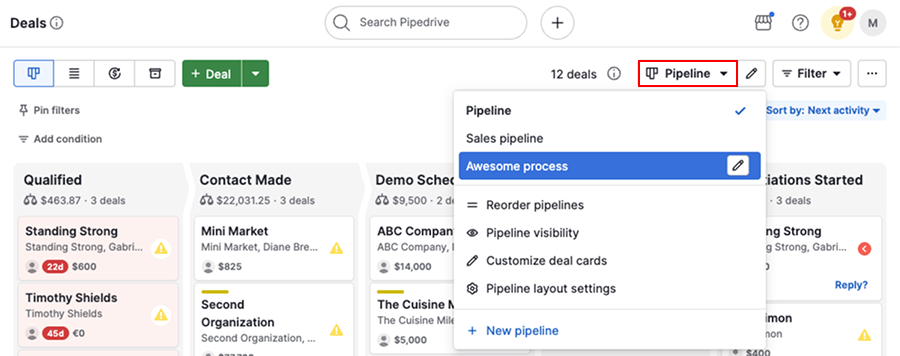
Filter Activities > Email by sequence name and last 7 days. Count actual sends vs. expected sends. If the gap is more than 20%, you have a systemic issue, not a contact skip.
Use MXToolbox or Google Postmaster Tools to check SPF, DKIM, and DMARC status for your sending domain. A soft DKIM fail will tank open rates 2-3 days before sequences fully stop sending.
In Google Workspace Admin, navigate to Reports > Email Log Search and look at total outbound volume per sender. If any rep's address is hitting 1,800+ on a 2,000-cap Workspace account, that is your bottleneck.
Pick one contact that should qualify for the sequence. Manually enroll them. If they progress, your automation trigger or enrollment filter has a condition bug. Rebuild the filter from scratch.
Disconnect the affected mailbox under Settings > Email Sync. Reconnect it and walk through the full Google or Microsoft permission grant. Check the last-sync timestamp after 30 minutes to confirm the token is live.
After fixing, do not re-enroll the full 200 contacts immediately. Add 10-20 contacts, confirm sends are firing in the activity log, then scale back up. Batch re-enrollment after an auth fix can trigger a spam flag.
The Deliverability Problem Pipedrive Cannot Solve
Here is where I have to be direct. Fix all four failure modes and sequences are still underperforming on opens and replies? You have a deliverability problem that Pipedrive is structurally unable to help you diagnose. There is no bounce-rate dashboard. No inbox placement score. No warm-up tooling. You are flying blind.
For deliverability visibility, the fastest path is to run your sequences through a dedicated tool and keep Pipedrive as your CRM. This is also a good time to run a full cold email deliverability audit if you have not done one recently.
The trap most teams fall into: They fix the OAuth token, see sends resume, and assume the problem is solved. Two weeks later, open rates are at 8% because the domain spent 10 days sending from a broken auth config and is now on several spam lists. Fixing the send mechanism does not fix the domain reputation damage that happened while it was broken.
Reputation recovery checklist:
1. Submit domain to Google Postmaster Tools
2. Monitor Domain Reputation tab for 14 days
3. Drop daily volume to 20% of normal
4. Ramp 15% per week if reputation stays "High"
5. Avoid image-heavy or link-heavy templates
   during recovery window
6. Use plain-text sequences only for 3 weeks
When to Stop Fixing and Start Migrating
If you have worked through all four failure modes and the root cause is a platform ceiling (no multi-mailbox rotation, no deliverability tooling, no sequence analytics beyond basic open/click), that is a signal, not a configuration error. Here is how the alternatives stack up for teams hitting Pipedrive’s ceiling.
Don’t bother trying to patch Pipedrive with Zapier workarounds for deliverability. Use Reply.io or Smartlead for the actual sending and let Pipedrive stay in its lane as a CRM.
Which tool fits your situation?
Choose HubSpot if

- You need sequences tightly integrated with CRM data, lifecycle stages, and deal pipeline
- Your team wants built-in email health reporting and sequence enrollment analytics
- You are already evaluating a CRM migration and want sequences and CRM in one platform
Choose Reply.io if

- You want to keep Pipedrive as your CRM but need a serious outbound sequence layer on top
- Your team sends high volume and needs multi-channel steps (email, LinkedIn, calls) in one sequence
- You need AI-assisted reply detection and sequence branching that Pipedrive cannot do
Choose Smartlead if

- Deliverability is your primary problem and you need rotating mailboxes with built-in warm-up
- You are running high-volume cold outbound (500+ contacts per day per rep)
- You want unified inbox management across multiple sending domains
Choose n8n if

- You need custom sequence logic Pipedrive cannot express natively (conditional branching, multi-step delays, CRM writeback)
- You already have engineering support or a RevOps practitioner comfortable with workflow builders
- Budget is a constraint and you want to avoid per-seat sequence tool pricing
For a deeper look at how Reply.io and Lemlist compare on deliverability specifically, I covered that head-to-head in the Reply.io vs Lemlist sequences breakdown. And if you are leaning toward HubSpot, the best email automation for Pipedrive post covers the integration path before you commit to a full CRM switch.
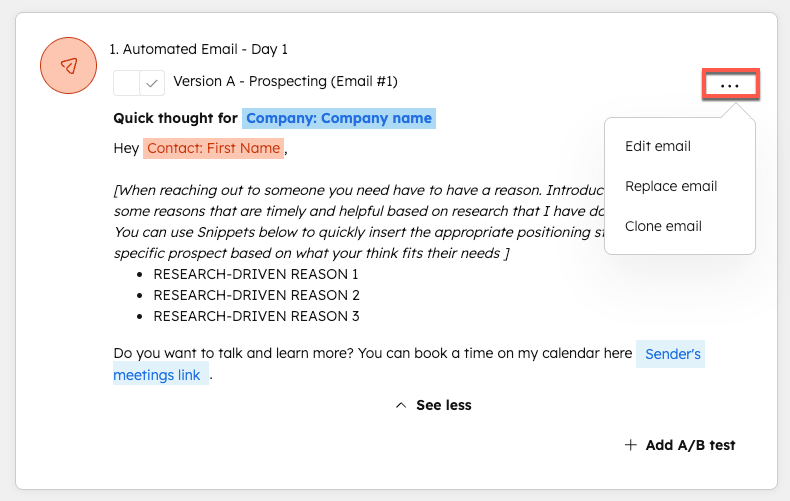
If you go the n8n route, my recommended architecture is: n8n polls Pipedrive for deal stage changes every 15 minutes, checks enrollment eligibility, passes contacts to Smartlead via API for the actual send, and writes activity records back to Pipedrive via the Pipedrive API. You get Pipedrive as the record of truth and dedicated sending infrastructure without abandoning your existing pipeline. This n8n workflow pattern covers the trigger and writeback mechanics in detail.
Fix the Config, Then Reassess the Platform
Run the six-step diagnostic before making any tool decisions. Most teams find one of the four failure modes explains their delivery gap, and a two-hour fix is faster than a three-month migration. But if you fix everything and sequences are still underperforming, you are not dealing with a broken config. You are dealing with a tool that was not built for what you are asking it to do. That is a different problem. It deserves a different solution.
Sources
Frequently asked questions
Why are my Pipedrive sequences not sending?
The most common causes are hitting Pipedrive's daily email limits, broken DKIM/SPF authentication, or the sequence enrollment conditions filtering out contacts before they enroll. Check your email settings and sending logs first.
Does Pipedrive have email deliverability tools?
No. Pipedrive has no inbox warming, deliverability scoring, or bounce-rate visibility built in. You need to manage domain health externally via tools like Mailreach or Google Postmaster Tools.
What is the daily email sending limit in Pipedrive sequences?
Pipedrive caps automated email sends depending on your connected provider. Gmail caps at 500 emails per day total across all sends; Google Workspace accounts get up to 2,000. Pipedrive itself does not publish a separate sequences cap.
Can n8n replace Pipedrive sequences?
Yes, but it requires building the sequence logic yourself. n8n can poll Pipedrive deal stages, trigger timed email steps via SMTP or Smartlead, and log activity back to Pipedrive, giving you more control than native sequences.
When should I migrate from Pipedrive to HubSpot for sequences?
Migrate when your team needs built-in deliverability visibility, multi-channel steps, or sequence analytics beyond open and click rates. If you only need basic email follow-up, fixing Pipedrive's settings is faster than switching.
Free Newsletter
Get new posts by email.
Migration guides, tool comparisons, and pricing breakdowns from real RevOps and GTM stacks, sent as they publish.
No spam. Unsubscribe anytime.
Enjoying this? Share it with your team.
Keep reading
Some links are affiliate links. Disclosure.